This Template at a Glance
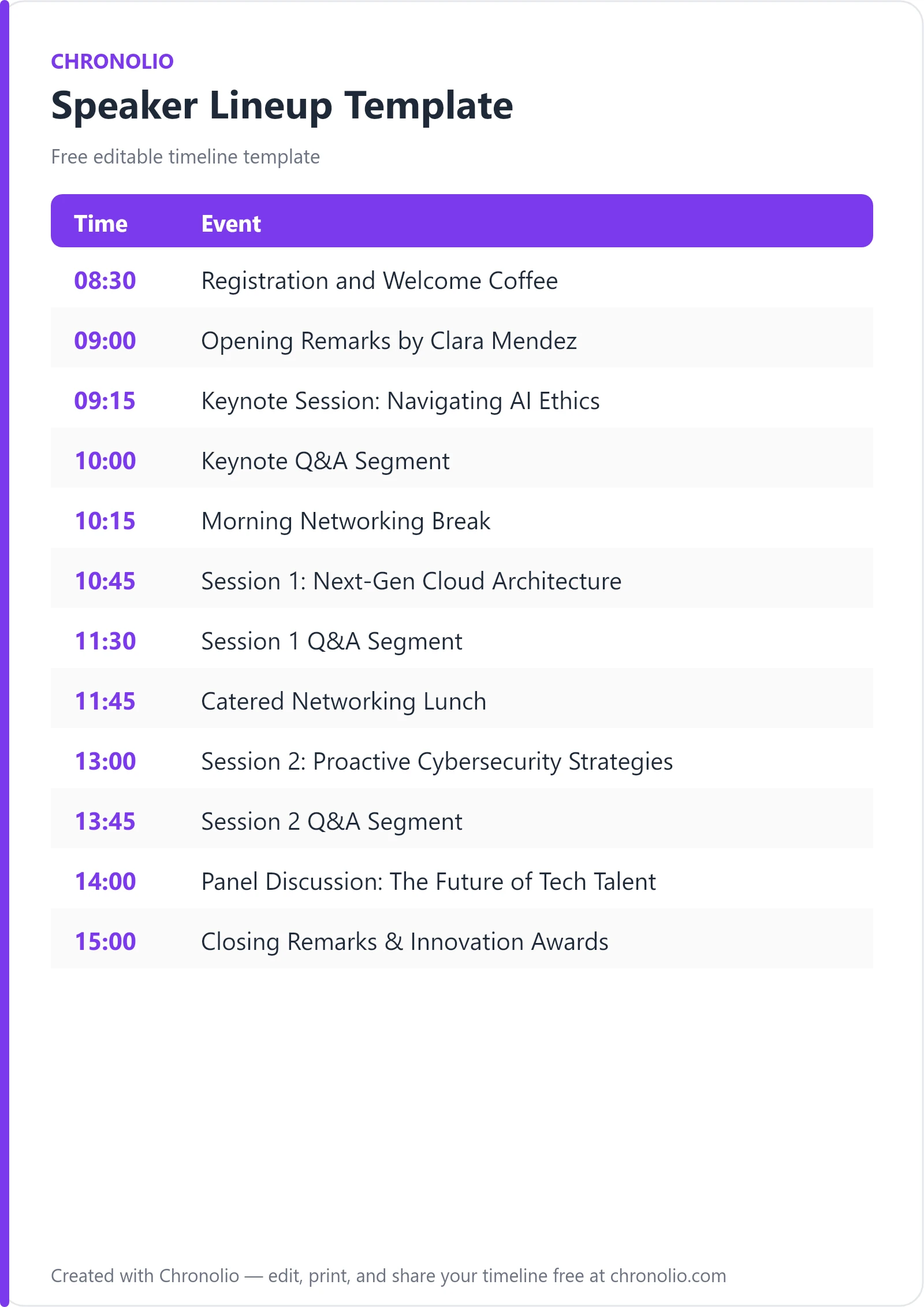
Here is the complete schedule this free template gives you — every time block, ready to edit, download, and share:
| Time | Event |
|---|---|
| 08:30 | Registration and Welcome Coffee |
| 09:00 | Opening Remarks by Clara Mendez |
| 09:15 | Keynote Session: Navigating AI Ethics |
| 10:00 | Keynote Q&A Segment |
| 10:15 | Morning Networking Break |
| 10:45 | Session 1: Next-Gen Cloud Architecture |
| 11:30 | Session 1 Q&A Segment |
| 11:45 | Catered Networking Lunch |
| 13:00 | Session 2: Proactive Cybersecurity Strategies |
| 13:45 | Session 2 Q&A Segment |
| 14:00 | Panel Discussion: The Future of Tech Talent |
| 15:00 | Closing Remarks & Innovation Awards |
What Is a Speaker Lineup Template?
A speaker lineup template is an essential event planning tool designed to organize presentation schedules, presenter details, track topics, and audience Q&A sessions across a single- or multi-day conference. When coordinating high-stakes corporate events, tech summits, or industry symposiums, a well-structured run of show prevents stage delays, eliminates audio-visual confusion, and maintains high attendee engagement. This schedule framework reflects real-world conference management standards honed through years of production experience in commercial venues and auditoriums.
Whether you are hosting a large tech symposium, organizing a corporate summit, or adapting structured timelines for executive gatherings like a board meeting timeline template, keeping your agenda punctual builds immediate trust with your audience. You can download this schedule in multiple formats, including our editable Word document and our print-ready PDF file, or edit it live online.
Edit This Speaker Lineup Template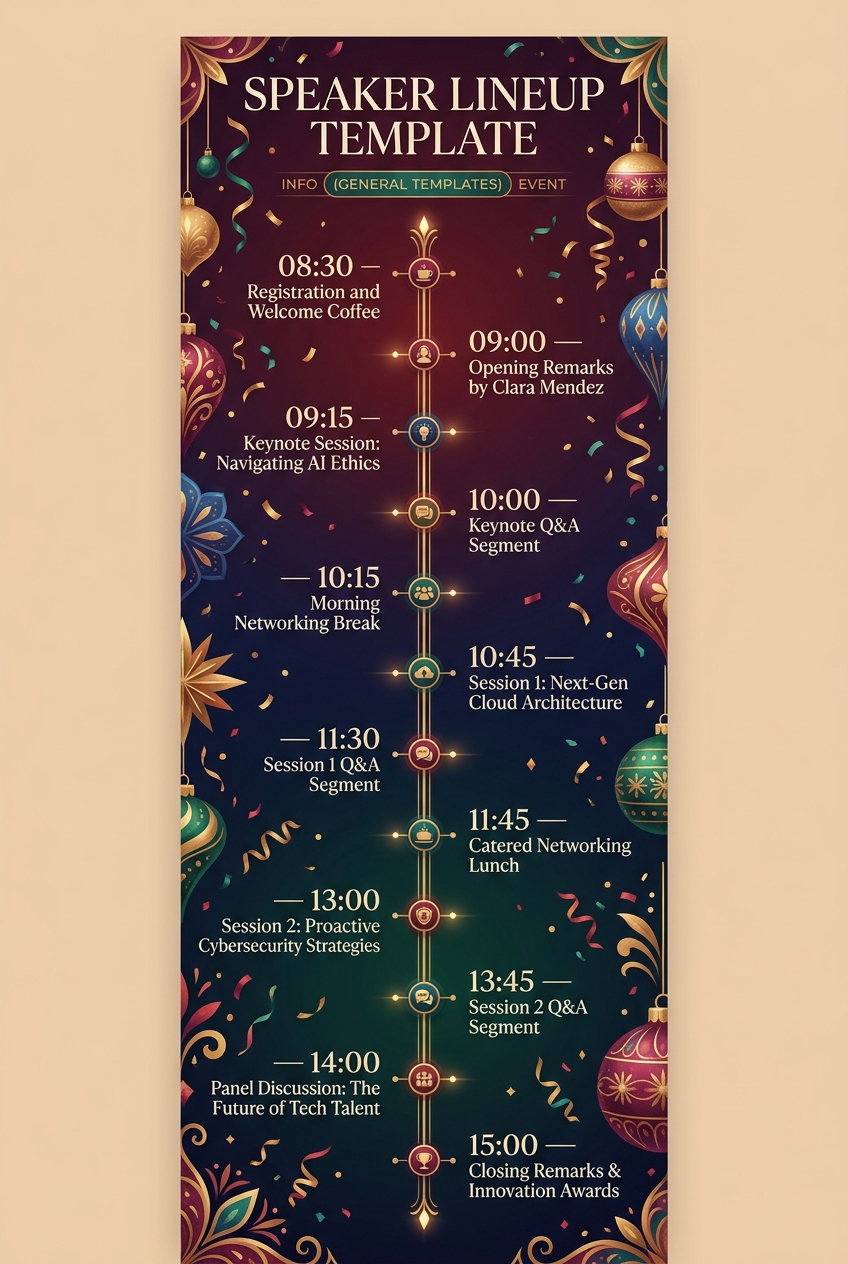
Why Speaker Lineups Need a Timeline
Running a flawless conference requires far more than placing talented presenters on stage; it demands rigorous time management behind the scenes. Without explicit stage start and stop times, speakers frequently exceed their time limits, depriving subsequent presenters of their full slots and delaying catered meals.
A clear timeline establishes mutual accountability between the production team, moderators, and speakers. By explicitly allocating separate blocks for presentations and audience Q&A, the event crew knows exactly when to swap wireless microphones, update lower-third graphics, and position roaming mic runners in the aisle.
Furthermore, a predictable cadence optimizes the attendee experience. Guests appreciate knowing precisely when keynotes begin, when topic breakouts occur, and when networking breaks take place. This transparency allows delegates to plan their day, network effectively in exhibition halls, and stay energized throughout demanding event programs.
What to Include in a Speaker Lineup Template
To keep your production team and delegates completely aligned, every professional speaker schedule should incorporate the following core components:
- Registration and Tech Check Windows: Early morning buffer time for badge pickup, coffee, green room orientation, and AV checkups.
- Session Titles and Track Topics: Clear naming conventions that tell attendees what subjects will be covered in each room or auditorium.
- Presenter and Moderator Names: Explicit assignments detailing who is speaking, who is hosting, and who is moderating panel discussions.
- Dedicated Presentation Time: The fixed duration reserved exclusively for a speaker's main slide presentation or fireside chat.
- Distinct Q&A Blocks: Separate time slots reserved for live floor questions, digital Q&A app submissions, and audience interaction.
- Stage and Room Locations: Explicit designations (e.g., Grand Auditorium, Stage A, Exhibition Hall) for seamless attendee navigation.
- Networking and Catering Breaks: Scheduled intervals that refresh delegates and accommodate technical stage resets between tracks.
Morning Keynote & Opening Strategy
| Time | Event | | 08:30 | Registration and Welcome Coffee (Main Foyer) | | 09:00 | Opening Remarks by Clara Mendez (Grand Auditorium) | | 09:15 | Keynote Session: Navigating AI Ethics (Grand Auditorium) | | 10:00 | Keynote Q&A Segment (Grand Auditorium) | | 10:15 | Morning Networking Break (Exhibition Hall) |
The morning phase establishes the event's professional tone and provides a buffer for guest arrivals. Welcoming attendees with coffee in the Main Foyer while conducting final green room technical checks ensures that audio levels, slide clickers, and lapel microphones are verified before doors open. Host Clara Mendez kicks off the program in the Grand Auditorium with high-level opening remarks, framing the day's overarching theme before introducing the keynote presenter.
Dr. Aris Thorne’s keynote on AI ethics anchors the morning plenary. Allocating a dedicated 45-minute block for the core address followed immediately by a distinct 15-minute Q&A block ensures audience engagement without encroaching on the subsequent networking break. Following the Q&A, directing participants to the Exhibition Hall for morning coffee allows attendees to process the keynote concepts while stage managers prepare the auxiliary stages for technical breakout sessions.
Mid-Morning Technical Track & Lunch Break
| Time | Event | | 10:45 | Session 1: Next-Gen Cloud Architecture (Stage A) | | 11:30 | Session 1 Q&A Segment (Stage A) | | 11:45 | Catered Networking Lunch (Dining Hall) |
Following the morning break, the program transitions into specialized domain topics. Session 1 moves to Stage A, where Sarah Jenkins delivers an in-depth presentation on cloud architecture and cost optimization. Separating complex technical tracks into discrete presentation and Q&A blocks enables deep technical discussions while maintaining strict adherence to the master clock.
The mid-day transition to a full catered lunch in the Dining Hall serves two critical purposes. First, a 75-minute window provides attendees ample time to eat, recharge, and participate in casual networking without feeling rushed. Second, this substantial operational block gives the technical crew sufficient time to reset audio channels, clear stage props, and conduct sound checks for afternoon breakout speakers across Stage B and the main auditorium.
Afternoon Breakouts, Panel, and Closing Plenary
| Time | Event | | 13:00 | Session 2: Proactive Cybersecurity Strategies (Stage B) | | 13:45 | Session 2 Q&A Segment (Stage B) | | 14:00 | Panel Discussion: The Future of Tech Talent (Grand Auditorium) | | 15:00 | Closing Remarks & Innovation Awards (Grand Auditorium) |
The afternoon agenda launches with Marcus Vance leading Session 2 on Stage B, addressing enterprise cybersecurity frameworks. Positioning a sharp, highly relevant threat intelligence topic right after lunch combats the mid-day energy dip. Directing floor questions immediately into a dedicated 15-minute Q&A segment keeps audience energy high before shifting everyone back to the Grand Auditorium.
The afternoon culminates in a multi-speaker panel discussion on tech talent moderated by Elena Rostova. Grouping multiple industry leaders on stage simultaneously provides diverse viewpoints while allowing individual speakers a lighter prep burden late in the day. Clara Mendez concludes the conference with closing remarks and community innovation awards, leaving attendees with a memorable celebration before final departures.
Just as structured timing elevates corporate conventions, deliberate schedules bring harmony to social events—whether you are adapting planning workflows for an anniversary party schedule or organizing milestone celebrations with a birthday party timeline template.
Speaker Lineup Template vs Master Run of Show
While both documents are essential to running a successful convention, they serve distinct operational roles and target different stakeholder groups during an event.
| Feature | Speaker Lineup Template | Master Run of Show |
|---|---|---|
| Primary Audience | Attendees, speakers, hosts, and moderators | Technical director, stage managers, AV crew, catering lead |
| Level of Detail | Public-facing topics, speaker names, room locations | Technical cues, lighting presets, mic channels, prompt notes |
| Timing Granularity | 15 to 60-minute session blocks | Minute-by-minute or cue-by-cue triggers |
| Key Information | Session abstracts, bios, Q&A segments | Audio feeds, video rolls, slide deck switches, stage entry doors |
| Primary Goal | Communicating content and session flow | Executing flawless technical production |
A speaker lineup template focuses on content organization and schedule transparency for presenters and guests, whereas a master run of show dictates backstage technical cues for audio engineers, lighting technicians, and floor managers.
Who Should Use This Template?
This timeline design is engineered for event professionals and organizational leaders who need to manage multi-speaker programs effectively. Chronolio supports various organizational roles involved in scheduling and executing high-impact events. This template is ideal for:
- Conference Directors & Event Producers: Designing multi-track summits, keynote stages, and corporate conventions.
- Corporate Event Planners: Managing annual company kickoffs, product launch showcases, and partner summits.
- Association & Non-Profit Organizers: Structuring educational symposiums, legislative briefings, and member meetings.
- Executive Assistants & Chief of Staff: Coordinating executive retreats, advisory board panels, and leadership assemblies.
- University & Academic Coordinators: Running research symposiums, guest lecturer series, and commencement panels.
How to Use This Template
- Download or Duplicate the Template: Select your preferred format—edit directly online, download the editable Word file, or grab the print-ready PDF document.
- Input Session Details and Speaker Bios: Populate session titles, presenter names, track descriptions, and assigned stages or rooms.
- Adjust Time Blocks for Your Format: Tailor the duration of keynotes, breakout talks, and Q&A segments to match your event's specific pace.
- Brief Your Speakers and Production Crew: Share the final schedule with presenters, moderators, stage managers, and AV technicians at least one week prior to event day.
- Print and Publish: Post digital copies on your conference app or website, and distribute printed pocket schedules to attendees at check-in.
Tips for a Successful Speaker Lineup
- Schedule Dedicated Q&A Buffer Blocks: Never combine presentation slides and live Q&A into one unsegmented block; treating Q&A as a separate line item forces presenters to end slides on time.
- Establish a Clear Green Room Routine: Require all speakers to check into the green room at least 30 minutes before stage time for mic fitting and slide verification.
- Deploy Visual Time Countdown Monitors: Position stage-facing confidence monitors running countdown clocks so presenters can track their remaining time effortlessly.
- Brief Session Moderators Thoroughly: Provide moderators with pre-written speaker introductions, candidate Q&A questions, and clear visual signals for 5-minute and 1-minute time warnings.
- Maintain Strategic Networking Breaks: Avoid cutting coffee breaks or meal times to make up for late-running speakers; delegates require rest to maintain focus throughout long conference days.
- Prepare Roaming Microphones: Station dedicated mic runners in auditorium aisles prior to Q&A segments so audience questions are captured clearly on the main house sound system.
Common Mistakes to Avoid
- Overbooking the Agenda: Packing sessions back-to-back without transition buffers leads to cumulative timing delays that disrupt the entire afternoon schedule.
- Omitting AV Tech Checks: Assuming slide decks and wireless microphones will work without pre-session testing frequently leads to embarrassing stage delays.
- Failing to Brief Presenters on Hard Stops: Not establishing firm stop times with keynotes often results in speakers rambling through their Q&A window.
- Ignoring Stage Handoff Logistics: Forgetting to plan physical stage exits and entries causes awkward logjams when one speaker leaves and another approaches the podium.
- Neglecting Remote/Hybrid Presenters: Failing to test remote video feeds and audio latency during early morning tech checks can ruin live hybrid presentations.
- Lacking Floor Mic Moderation: Allowing audience members to deliver lengthy comments rather than concise questions during Q&A segments drains room energy.
In Summary
- A speaker lineup template organizes presentation schedules, presenter details, track topics, and Q&A blocks into a clear conference timeline.
- Dedicated Q&A segments prevent slide presentations from running over and delaying subsequent speakers or networking meals.
- Early morning registration windows allow production teams to execute critical AV checks, microphone fittings, and green room briefings.
- Alternating keynote presentations, technical breakouts, catered meals, and panel discussions maintains high attendee engagement all day.
- Professional event directors, corporate planners, and association leaders rely on structured speaker lineups to execute flawless events.
Planning an unforgettable gathering requires precision, whether you are organizing an enterprise technology summit or planning intimate personal milestones using a baby shower timeline template or a structured catholic wedding timeline. Utilizing a tested schedule structure ensures every presentation starts on time and delivers maximum impact.
Edit This Speaker Lineup TemplateFor additional event planning standards and professional production frameworks, consult industry resources from the Meeting Professionals International (MPI) and the Professional Convention Management Association (PCMA).