This Template at a Glance
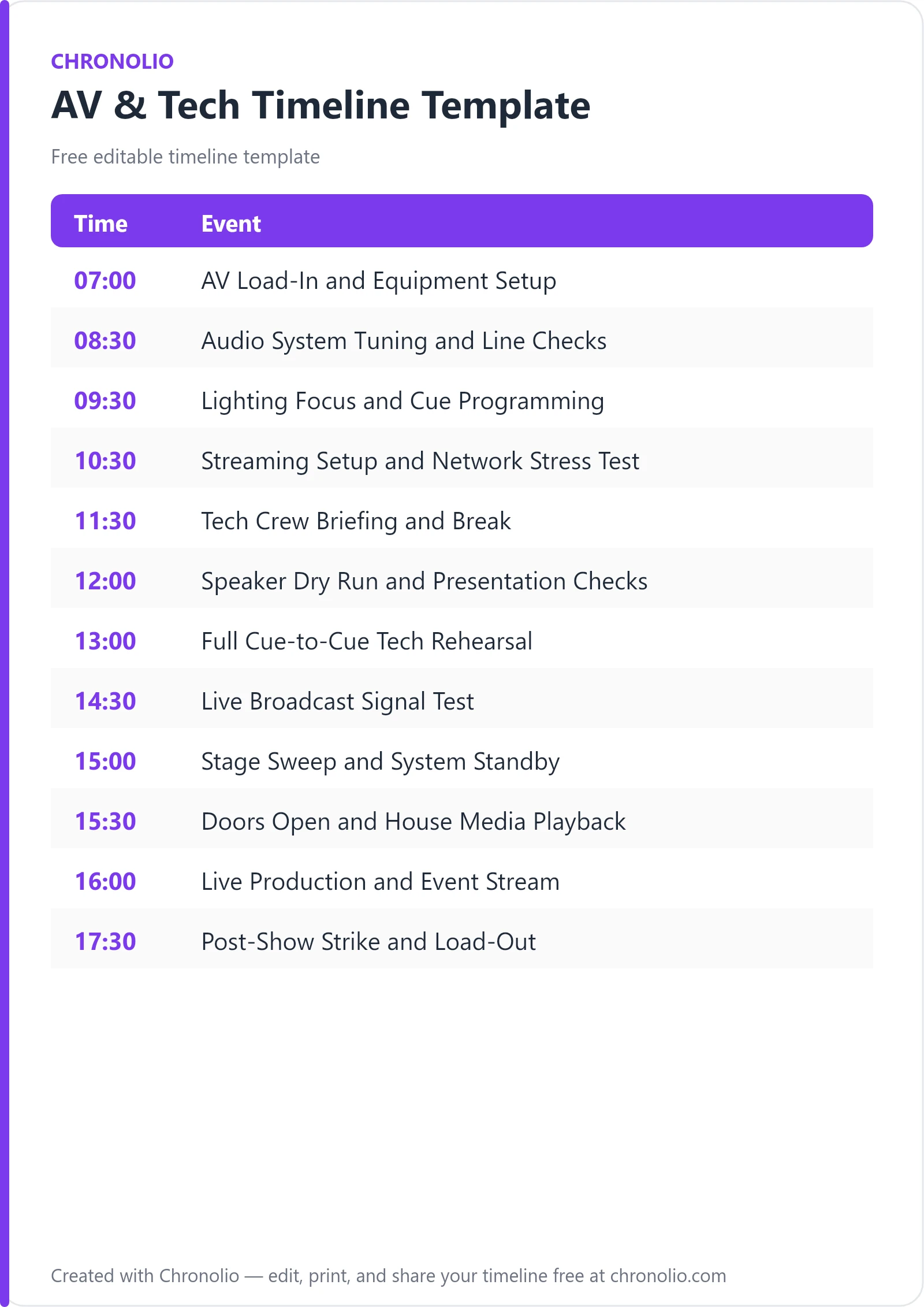
Here is the complete schedule this free template gives you — every time block, ready to edit, download, and share:
| Time | Event |
|---|---|
| 07:00 | AV Load-In and Equipment Setup |
| 08:30 | Audio System Tuning and Line Checks |
| 09:30 | Lighting Focus and Cue Programming |
| 10:30 | Streaming Setup and Network Stress Test |
| 11:30 | Tech Crew Briefing and Break |
| 12:00 | Speaker Dry Run and Presentation Checks |
| 13:00 | Full Cue-to-Cue Tech Rehearsal |
| 14:30 | Live Broadcast Signal Test |
| 15:00 | Stage Sweep and System Standby |
| 15:30 | Doors Open and House Media Playback |
| 16:00 | Live Production and Event Stream |
| 17:30 | Post-Show Strike and Load-Out |
What Is an AV & Tech Timeline?
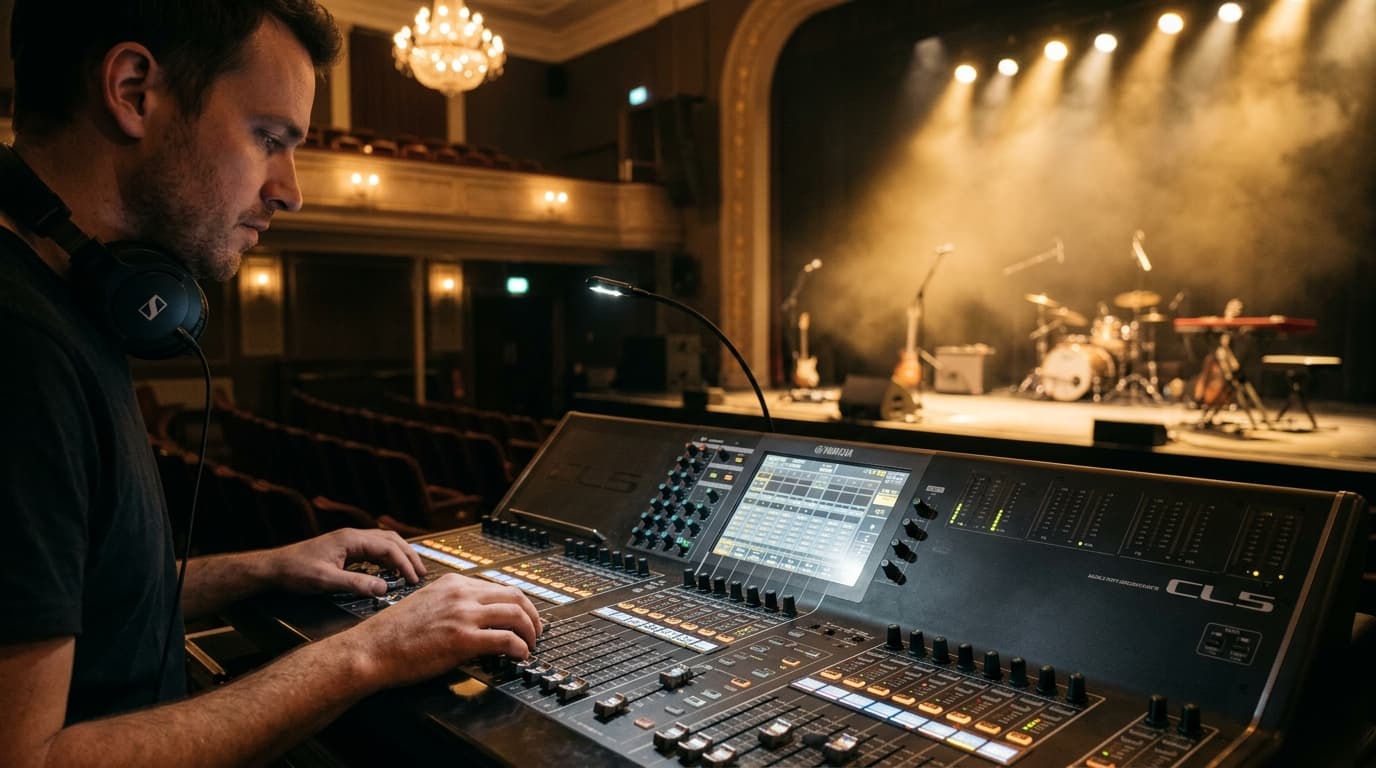
An AV & tech timeline is the definitive operational blueprint that governs all audio, visual, lighting, and streaming infrastructure for a live or hybrid event. After decades behind Front of House (FOH) mixing consoles and managing multi-camera broadcast feeds, I can tell you that technical failures rarely stem from broken equipment—they stem from poor timing and chaotic setup workflows.
This timeline establishes strict, sequential milestones for gear rigging, frequency allocation, DMX lighting focus, network stress testing, and presenter rehearsals. Whether you are producing a corporate conference, managing a high-stakes keynote, or coordinating live entertainment, this master technical schedule ensures every engineer, camera operator, and stage hand moves to the exact same beat. By capturing real-world venue protocols and industry-standard workflows, our AV & tech timeline eliminates setup bottlenecks before audience members ever take their seats.
Customize Your AV & Tech Timeline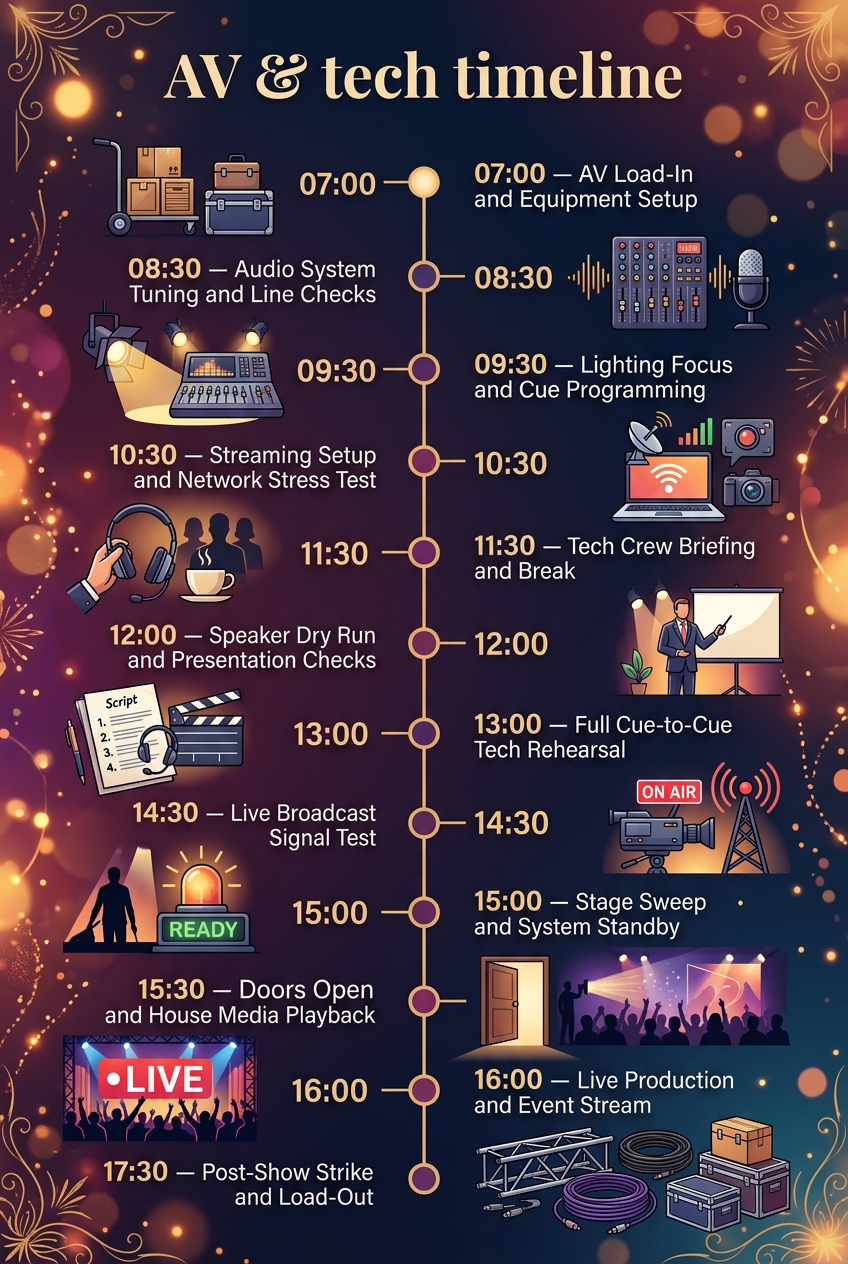
Why Events Need an AV & Tech Timeline
Running a live event production without a dedicated technical schedule is an invitation for disaster. Technical crews work across distinct disciplines—audio engineering, stage lighting, broadcast encoding, and stage management—that frequently overlap on the same physical stage. Without clear time blocks, lighting technicians will be aiming high-intensity fixtures directly into the eyes of audio engineers trying to ring out lavalier microphones, or video switchers will demand quiet on set while riggers are rattling flight cases behind the curtain.
A structured schedule creates clear operational boundaries that protect gear integrity and prevent crew burnout. By establishing hard deadlines for system tuning and cable runs, technical leads avoid frantic last-minute troubleshooting when house doors open. This clear progression allows production managers to maintain strict control over venue access and noise levels throughout the build.
Furthermore, a technical schedule provides essential accountability for presenters and remote audiences. Presenters need time to get comfortable on stage, test confidence monitors, and adapt to lapel microphones. Meanwhile, virtual attendees expect flawless streaming feeds with synchronized audio and crystal-clear lower-third graphics. A well-constructed timeline guarantees that every camera angle, audio channel, and lighting preset is thoroughly vetted long before the executive steps up to the lectern.
What to Include in an AV & Tech Timeline
A comprehensive production schedule must cover every stage of the technical lifecycle:
- Equipment Load-In & Rigging: Unloading flight cases, placing trussing, setting up staging, and running primary feeder cables.
- System Calibration: Audio gain staging, RF wireless frequency scanning, DMX lighting scene programming, and LED wall calibration.
- Broadcast Infrastructure: Hardware video encoder configuration, stream key deployment, dedicated network speed checks, and latency testing.
- Crew Synchronization: Technical briefings, comms channel assignments (Headset matrix), and run-of-show reviews.
- Presenter Preparation: Mic fitting, slide advancing tests, stage monitor positioning, and dry runs.
- Cue-to-Cue Rehearsal: End-to-end rehearsal testing all video playback rolls, lighting state changes, graphic transitions, and audio cues.
- System Standby: Securing stage cables, sweeping performance areas, setting ambient audio, and holding full system readiness.
- Live Show Execution: Active mixing, real-time camera switching, stage direction, and stream health monitoring.
- Strike & Load-Out: Powering down sensitive electronics, coiling cabling, packing road cases, and clearing the loading dock.
Phase 1: Load-In, System Tuning, and Network Stress Testing
The early hours of production establish the structural and electrical baseline for the entire event. Skimping on setup time here causes compound delays throughout the day.
| Time | Event |
|---|---|
| 07:00 | AV Load-In and Equipment Setup |
| 08:30 | Audio System Tuning and Line Checks |
| 09:30 | Lighting Focus and Cue Programming |
| 10:30 | Streaming Setup and Network Stress Test |
|-----|-------------------|------------------|-----------------|------------| Load-In & Audio Tuning Lighting Focus Streaming Test Setup & Line Checks & Cue Setup & Network Stress
The day begins with unloading flight cases and running primary power lines across the auditorium. Storage placement is critical—all empty road trunks must be neatly stacked stage left or in backstage corridors to keep fire exits and sightlines clear. Once main trussing and speaker stacks are flown or mounted, power distribution boxes are energized to feed Front of House mixing positions and stage sub-panels.
Once power is confirmed, the audio team takes control of the room to calibrate the main PA array and perform line checks. Engineers scan RF frequencies to avoid local wireless interference, assign lapel and handheld mic frequencies, and push pink noise through the system to equalize the acoustics. Simultaneously, lighting directors take over the stage to focus stage keylights and program lighting scenes on the lighting desk, balancing color temperature (typically 3200K to 5600K) so presenters look natural both to the in-person crowd and on high-definition video cameras.
Finally, the broadcast team executes a comprehensive network stress test in the control suite. They route camera signals into multi-view switchers, configure primary and secondary video encoders, and conduct bandwidth upload tests on dedicated, hardwired connections. Verifying stream health at this point ensures full redundancy before virtual participants attempt to join.
Phase 2: Crew Briefing, Speaker Alignment, and Cue Rehearsals
With the primary technical infrastructure online and verified, the focus shifts toward human coordination, presenter preparation, and full show rehearsals.
| Time | Event |
|---|---|
| 11:30 | Tech Crew Briefing and Break |
| 12:00 | Speaker Dry Run and Presentation Checks |
| 13:00 | Full Cue-to-Cue Tech Rehearsal |
| 14:30 | Live Broadcast Signal Test |
| 15:00 | Stage Sweep and System Standby |
|-----|-------------|-------------------|----------------------|---------------|-----------| Crew Break Speaker Dry Run Full Cue-to-Cue Broadcast Test Stage Sweep
Before bringing speakers onto the stage, the technical crew gathers in the green room for a comprehensive run-of-show briefing. Comms headsets are distributed, dedicated channels are assigned (e.g., Channel 1 for Stage Management, Channel 2 for Audio/Video, Channel 3 for Lighting), and contingent protocols are reviewed. Just as structured timing keeps a board meeting timeline focused, clear crew communication ensures everyone understands precisely when cues will trigger.
During the speaker dry run, presenters walk onto the stage to get fitted with lapel microphones and test slide clickers. Technicians verify that confidence monitors accurately show speaker notes and timer clocks, adjusting font sizes or screen brightness if necessary. This segment gives speakers essential familiarity with stage geometry, sightlines, and audio dynamics.
Next, the team conducts a rigorous cue-to-cue rehearsal. The stage manager calls every light change, lower-third graphic roll, video playback intro, and audio transition in rapid succession. This phase iron out timing snags between operators, ensuring smooth transitions when switching between live keynotes and pre-recorded media. Following rehearsals, a private broadcast signal test validates remote stream synchronization, before technicians perform a final stage sweep—dressing loose cables with gaffer tape, setting fresh water, and placing all systems into hold standby.
Phase 3: Live Event Execution, Streaming, and Post-Show Strike
The culmination of technical preparation leads directly into doors opening, live production execution, and orderly equipment teardown.
| Time | Event |
|---|---|
| 15:30 | Doors Open and House Media Playback |
| 16:00 | Live Production and Event Stream |
| 17:30 | Post-Show Strike and Load-Out |
|-----|----------------------|----------------------------|-----------------------| Doors Open & Live Production Post-Show Strike House Playback & Live Stream & Teardown
At 15:30, the auditorium doors open to attendees while ambient house audio and preset lighting welcome guests into the space. Simultaneously, the online streaming feed goes live with a branded countdown clock, holding slide, and background music track. This buffer period allows both in-person and remote audiences to settle in without missing opening remarks.
Promptly at 16:00, the main show begins. The technical director directs the live production through constant comms chatter, coordinating dynamic camera switching, real-time audio mixing, and precision lighting focus. Whether you are managing complex corporate presentations or capturing special moments like a christian wedding timeline video capture, precise execution guarantees professional results.
When the event concludes and final applause fades, the crew initiates post-show strike and load-out protocols. Power is systematically removed from delicate digital desks and projector lamps before gear is disconnected. Cables are coiled, lighting rigs are lowered, flight cases are repacked, and transport trucks are loaded at the loading dock, returning the venue to its original state.
AV & Tech Timeline vs Run of Show
It is common for event organizers to confuse an AV & tech timeline with a standard event run of show. While they share overall event milestones, their focus, audience, and detail levels differ significantly.
| Operational Dimension | AV & Tech Timeline | Run of Show (ROS) |
|---|---|---|
| Primary Audience | AV Crew, Engineers, Stage Managers, Stream Techs | Event Planners, Emcees, Speakers, Clients |
| Core Focus | Load-in, signal flow, line checks, frequencies, equipment strike | Presenter order, talking points, stage entrances, executive timing |
| Technical Detail | Specific console channels, DMX universes, IP addresses, bitrates | High-level cues ("Play Intro Video", "Speaker Walk-On") |
| Buffer Management | Rigorous setup blocks built before guest arrival | Segment durations and buffer times for live talk tracks |
| Equipment Focus | Rigging, power distro, cables, switchers, broadcast encoders | Podium placement, hand microphones, props, awards |
While an event run of show tells the client what content is happening on stage, the AV & tech timeline dictates how technology makes it happen. Both documents are essential for high-end productions, but keeping technical mechanics inside a dedicated technical schedule prevents non-technical stakeholders from getting overwhelmed by engineering jargon.
Who Should Use This Template?
This technical production template is engineered for live event professionals and organizations that demand high production values and zero downtime:
- Corporate Production Managers: Oversight of keynotes, product launches, global town halls, and annual shareholder meetings.
- Venue Technical Directors: Managing venue infrastructure, in-house sound systems, and external vendor load-in schedules.
- Live Streaming Engineers: Planning multi-camera encoding, remote caller feeds, and dedicated network bandwidth allocation.
- Event Planning Agencies: Coordinating complex technical requirements across multiple third-party suppliers.
- AV Rental Houses & System Integrators: Managing field crews, gear transport logistics, and client sign-offs on site.
- Audio-Visual Technicians for Private Events: Coordinating sound and lighting for social galas, such as an elaborate anniversary party schedule or dynamic birthday party timeline.
Note that Chronolio provides customized support for all operational roles involved in event execution, keeping planners and technical directors on the same page.
How to Use This Template
- Download or Duplicate: Access the file in your preferred format—grab our customizable Word document version or the printable PDF timeline template.
- Establish Event Deadlines: Start with your non-negotiable hard times—specifically "Doors Open" and "Show Start"—and work backward to calculate your morning load-in window.
- Adjust Technical Durations: Modify time blocks based on equipment complexity. A simple two-mic keynote requires less line check time than a multi-channel live band performance.
- Assign Department Ownership: Clarify which crew lead (Audio, Video, Lighting, Broadcast) owns each specific line item on the schedule.
- Distribute to Production Leads: Share the finalized schedule with venue managers, labor crews, and streaming staff at least 48 hours prior to load-in.
Tips for Successful AV & Tech Execution
- Conduct a Prior Frequency Sweep: Always perform RF wireless frequency scans inside the venue after all production LED walls and temporary equipment are powered on, as digital displays generate high electromagnetic interference.
- Lock Down Dedicated Internet: Never share your broadcast streaming network connection with attendee Wi-Fi. Ensure your broadcast suite has a dedicated, hardwired line with guaranteed symmetrical upload bandwidth.
- Label Stage Boxes and Cable Runs: Clearly mark stage snakes, sub-snakes, and power drops during load-in to make troubleshooting lightning-fast during live execution.
- Verify Keylight Color Temperature on Camera: Do not judge lighting quality with the naked eye alone. Check camera monitors at Front of House to ensure presenter skin tones look natural on screen.
- Maintain a Dedicated Intercom Channel: Ensure key operators—Technical Director, Stage Manager, Audio Engineer, and Lead Camera—have clear comms headsets with isolated party-line channels.
Common Mistakes to Avoid
- Skipping the Cue-to-Cue Rehearsal: Assuming cues will flow smoothly without running them sequentially leads to delayed slide rolls, missed mic unmutes, and dark stages.
- Underestimating Power Requirements: Plugging high-draw lighting setups and subwoofers into standard wall outlets without evaluating breaker capacities causes tripped circuits during showtime.
- Rushing Speaker Mic Fittings: Fitting presenters with lapel mics seconds before they walk on stage often leads to rustling clothing noise and uncalibrated gain levels.
- Neglecting Cable Management: Leaving un-taped cables across stage walkways creates severe safety hazards for presenters and stage crews alike.
- Forgetting Backup Audio Paths: Failing to run redundant back-up audio feeds to your live stream switcher risks complete broadcast silence if a primary channel drops out.
- Ignoring Industry Technical Standards: Deviating from best practices published by professional organizations like AVIXA can result in substandard system performance and safety oversight.
In Summary
- Purpose: An AV & tech timeline organizes gear setup, signal testing, rehearsals, live streaming, and equipment teardown into a strict master schedule.
- Core Benefit: Eliminates technical glitches, protects sensitive electronics, and keeps audio, lighting, and video teams perfectly synchronized.
- Key Milestones: Encompasses early load-in, PA tuning, lighting focus, network stress testing, cue-to-cue rehearsals, live show execution, and final equipment strike.
- Target Users: Production managers, AV technicians, broadcast crews, event planners, and venue operators.
- Execution Key: Always work backward from house door opening times and build rigid buffer windows for troubleshooting unexpected signal issues.
Managing a live production requires total precision, clear departmental boundaries, and reliable timing structures. By utilizing this structured technical workflow, event planning teams and production managers can execute flawless live keynotes, hybrid broadcasts, and stage performances with absolute confidence.
Customize Your AV & Tech Timeline