This Template at a Glance
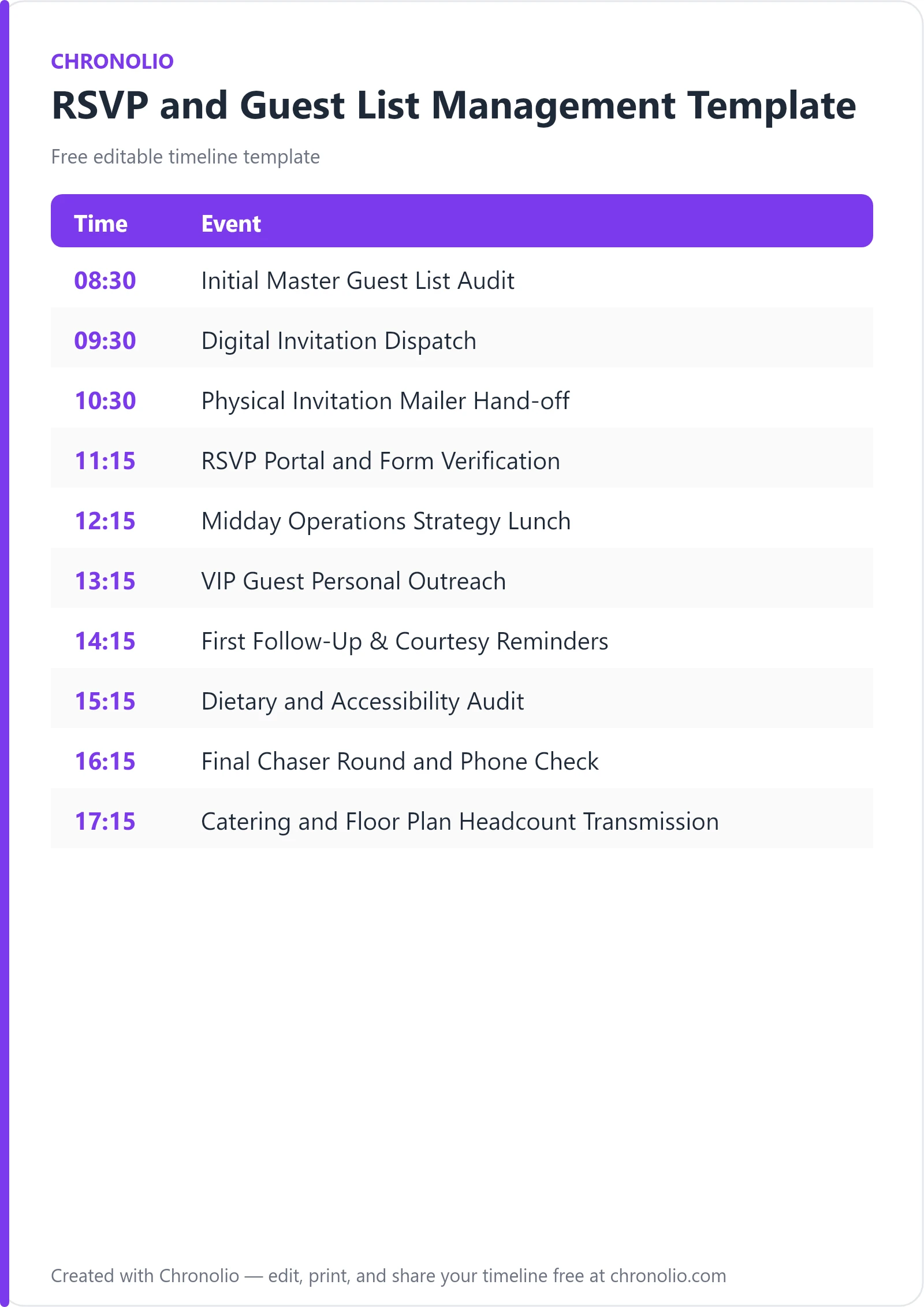
Here is the complete schedule this free template gives you — every time block, ready to edit, download, and share:
| Time | Event |
|---|---|
| 08:30 | Initial Master Guest List Audit |
| 09:30 | Digital Invitation Dispatch |
| 10:30 | Physical Invitation Mailer Hand-off |
| 11:15 | RSVP Portal and Form Verification |
| 12:15 | Midday Operations Strategy Lunch |
| 13:15 | VIP Guest Personal Outreach |
| 14:15 | First Follow-Up & Courtesy Reminders |
| 15:15 | Dietary and Accessibility Audit |
| 16:15 | Final Chaser Round and Phone Check |
| 17:15 | Catering and Floor Plan Headcount Transmission |
What Is a RSVP and Guest List Management Template?
An RSVP and guest list management template is a structured operational schedule that guides event planners through verifying contact databases, launching invitations, following up with non-respondents, and finalizing headcount numbers. Managing guest communications requires far more than dropping invitations in the mail and hoping for the best; it requires disciplined tracking across multiple channels to avoid last-minute catering surprises and seating chart chaos.
Having coordinated hundreds of large-scale events at our venue, I can tell you that headcount inaccuracy is the single biggest cause of day-of budget overruns. This template reflects real-world event management best practices, mapping out a step-by-step workflow for handling invite dispatches, digital portal verification, VIP outreach, and vendor notifications. Whether you are working in a corporate boardroom or a wedding reception hall, following a clear timeline guarantees that every attendee is accounted for long before the doors open.
Customize Your RSVP & Guest List Template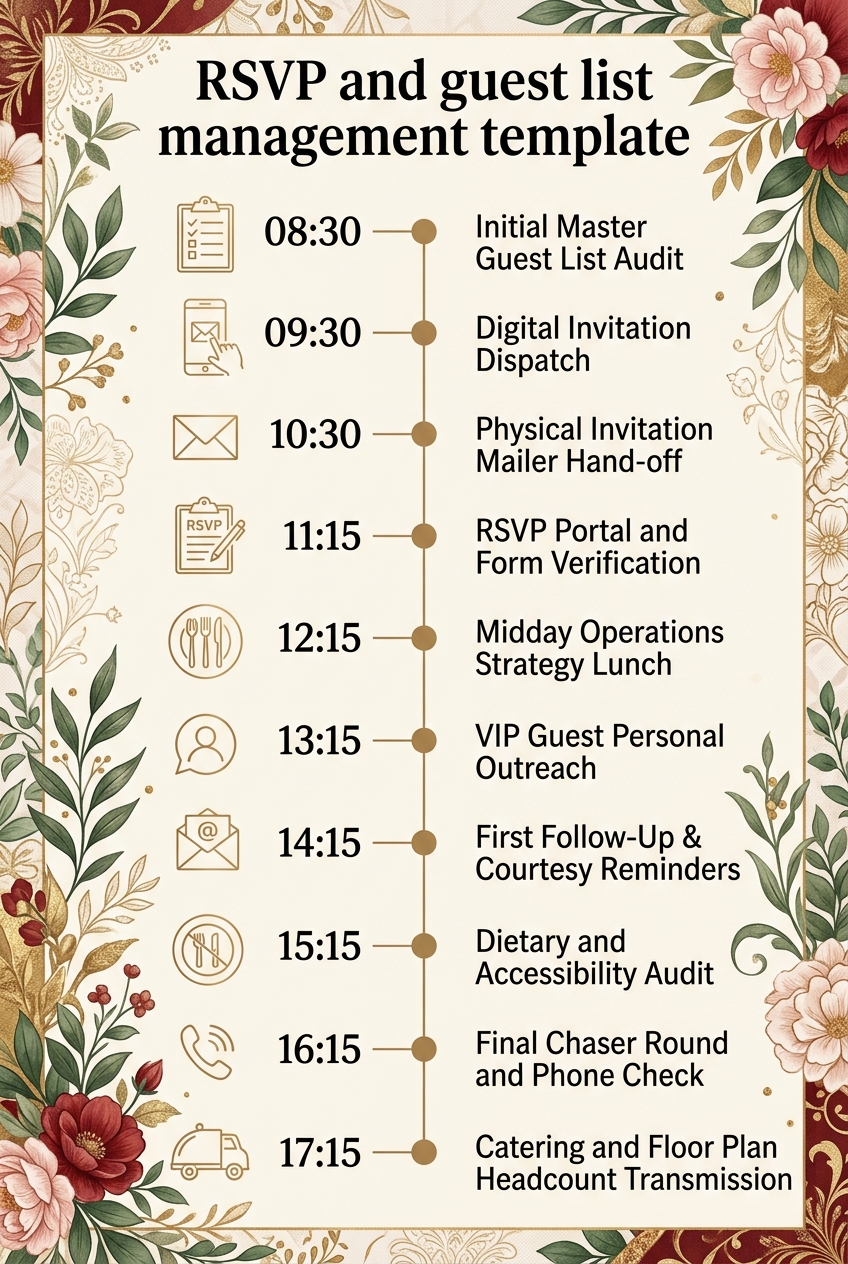
Why RSVP and Guest List Management Needs a Timeline
Managing event attendance without a structured timeline almost always leads to missed response deadlines, inaccurate food prep orders, and frantic last-minute seating adjustments. Guests lead busy lives and naturally delay responding until reminded. Establishing a dedicated workflow for invitations and follow-ups keeps your team accountable and prevents communication gaps.
A dedicated schedule also aligns your internal coordination with external vendor requirements. Caterers, venue operators, and rental suppliers require guaranteed minimum headcounts days or weeks in advance of the function. By mapping out audit checkpoints and final outreach pushes, you give yourself enough room to gather missing replies without paying rush fees or compromising service quality.
Finally, systematic guest tracking delivers a superior guest experience. When you take time to systematically collect dietary restrictions, mobility requests, and plus-one information, attendees feel cared for from the moment they receive their invitation.
What to Include in a RSVP and Guest List Management Template
A comprehensive guest list workflow must balance technical checks, personal outreach, and vendor coordination. When setting up your schedule, ensure you incorporate these essential elements:
- Master Guest List Audit: Verifying postal addresses, email delivery paths, and VIP guest designations before dispatching invites.
- Multi-Channel Invitation Launch: Scheduling digital invitations, custom online RSVP links, and physical paper mailers.
- System and Portal Testing: Verifying that digital response forms accurately record meal preferences, dietary notes, and plus-one names.
- VIP Personal Outreach: Conducting direct phone calls and high-touch communication for keynote speakers, honorees, and executives.
- Automated Courtesy Reminders: Sending targeted follow-ups to non-respondents prior to the hard deadline.
- Dietary and Accessibility Audits: Consolidating special needs, food allergies, and seating requirements into actionable venue reports.
- Final Chaser Rounds: Executing personal phone calls to lock in outstanding tentative replies.
- Catering and Floor Plan Handoff: Formally transmitting final headcounts and seating charts to venue managers and caterers.
Phase 1: Audit and Invitation Dispatch
Phase 1: Audit and Invitation Dispatch
| Time | Event |
|---|---|
| 08:30 | Initial Master Guest List Audit |
| 09:30 | Digital Invitation Dispatch |
| 10:30 | Physical Invitation Mailer Hand-off |
| 11:15 | RSVP Portal and Form Verification |
The morning begins in the Main Strategy Room at the Event Operations Hub, where the coordination team meets for the initial master guest list audit. We review every contact entry in the central database to catch missing email addresses, broken phone numbers, and outdated mailing details. Verifying VIP flags and corporate titles at this point eliminates embarrassing delivery failures later in the campaign.
Once the database is clean, the team moves to the Digital Communications Desk to execute the digital invitation dispatch. Launching invitations in batches allows us to monitor delivery server performance and watch for immediate bounce-backs. Shortly after, hard-copy paper invitations and formal reply cards are taken to the Central Post Office & Postal Hub for priority shipping. Tracking details are instantly recorded into our master spreadsheet to maintain end-to-end delivery visibility.
Before wrapping up the morning phase, tech staff meet at the IT & Web Support Lab to run live portal tests. We submit test responses across desktop and mobile devices to verify that dietary selections and plus-one entries write cleanly into the database without technical glitches.
Phase 2: Operations Strategy and Direct Outreach
Phase 2: Operations Strategy and Direct Outreach
| Time | Event |
|---|---|
| 12:15 | Midday Operations Strategy Lunch |
| 13:15 | VIP Guest Personal Outreach |
| 14:15 | First Follow-Up & Courtesy Reminders |
At midday, the team gathers in the Staff Lounge & Dining Area for an operations strategy lunch. We analyze early bounce-back reports, review real-time response rates from the morning digital launch, and calibrate our afternoon follow-up plan based on initial engagement trends.
Immediately following lunch, dedicated staff in the VIP Relations Office initiate personal outreach calls to honorees, executives, and keynote speakers. High-profile guests frequently require personal assistance with travel arrangements, security passes, or specialized seating, making concierge-level communication essential for building goodwill.
By early afternoon, attention turns back to the broader guest list via the Digital Communications Desk. Automated follow-up reminders are issued to non-respondents from earlier invitation rounds. A friendly, well-timed courtesy note highlighting the upcoming RSVP cutoff date typically generates a substantial wave of secondary confirmations.
Phase 3: Accommodation Audits and Final Headcount Lock
Phase 3: Accommodation Audits and Final Headcount Lock
| Time | Event |
|---|---|
| 15:15 | Dietary and Accessibility Audit |
| 16:15 | Final Chaser Round and Phone Check |
| 17:15 | Catering and Floor Plan Headcount Transmission |
Mid-afternoon is dedicated to refining guest details at the Venue Operations Coordination Desk. We pull all submitted dietary restrictions, severe food allergies, and physical accessibility requests into a consolidated summary report. cross-referencing these requests against venue capabilities early ensures that the banquet team can prepare safe, custom meal options without delay.
With the hard response deadline approaching, staff at the Guest Services Call Station initiate the final chaser round. Calling remaining unconfirmed guests directly allows us to lock in definitive yes-or-no answers. Any guest who cannot commit during this call is marked as declined per standard protocol, protecting the overall budget from unnecessary per-head catering charges.
The process concludes in the Catering Liaison Suite, where the verified attendee count, dietary matrix, and room seating charts are transmitted to the catering manager and banquet host. Formal sign-off locks in the official billing headcount, closing out the tracking workflow.
RSVP and Guest List Management Template vs Day-of Event Order of Events
It is common for novice planners to confuse guest list management workflows with day-of event schedules. While both are critical tools, they fulfill entirely distinct operational functions during the event planning lifecycle.
| Operational Aspect | RSVP & Guest List Management Template | Day-of Event Order of Events |
|---|---|---|
| Primary Focus | Managing attendee communications, responses, and headcounts | Managing live event execution, vendor timing, and proceedings |
| Timeframe | Executed weeks and days leading up to the event | Executed hour-by-hour on the day of the event |
| Key Stakeholders | Guest relations, invitees, catering directors, box office | Stage managers, AV crew, speakers, venue staff, guests |
| Primary Output | Verified guest list, dietary summary, final catering headcount | Master script, run-of-show, stage cue sheet |
| Success Metric | Zero headcount discrepancies and zero delivery errors | On-time program delivery and seamless transitions |
Where an RSVP template establishes who is in the room, a day-of schedule directs what happens in the room. Both templates work hand-in-hand to ensure complete event control.
Who Should Use This Template?
This tracking template is designed for event professionals and hosts who manage detailed attendance rosters and strict vendor deadlines. Chronolio supports various organizational roles involved in orchestrating seamless event communications.
- Corporate Event Managers: Managing attendee registration for annual conferences, product launches, and gala dinners.
- Wedding Planners: Tracking RSVPs, meal selections, and seating arrangements across complex multi-day wedding celebrations. Pair this with our catholic wedding timeline or christian wedding timeline to keep your entire wedding schedule aligned.
- Executive Assistants: Organizing executive retreats and shareholder dinners where zero error margins exist for attendee lists. Ensure your business sessions run smoothly by pairing tracking with our board meeting timeline template.
- Non-Profit Development Teams: Managing donor invitation dispatches, VIP seating, and fundraising gala attendance rosters.
- Private Party Hosts: Coordinating family milestones using our anniversary party schedule template, birthday party timeline template, or baby shower timeline template.
How to Use This Template
Implementing this guest list workflow is straightforward. Follow these steps to tailor the template to your specific event requirements:
- Download or Duplicate the Template: Access the editable format online or download our pre-formatted versions in Word format or PDF format.
- Establish Your Master Timeline Dates: Work backward from your main event date. Set your final catering lock date first, then place your RSVP deadline 7 to 10 days prior to that lock date.
- Customize Communication Channels: Adjust the timeline tasks based on whether you are using digital invitations, traditional mailers, or a hybrid approach.
- Assign Task Ownership: Delegate specific tracking stages—such as VIP calls or dietary audits—to designated team members.
- Share with Key Vendors: Distribute the tracking schedule to your caterer and venue contact so they know exactly when to expect final headcount numbers.
Tips for Successful RSVP and Guest List Management
- Build in Response Buffers: Always set your guest-facing RSVP deadline 7 to 10 days earlier than your venue's hard catering deadline. This gives you a buffer to chase down missing responses without stress.
- Standardize Data Input: Use standardized online forms with drop-down menus for meal choices and dietary restrictions rather than open text fields to avoid ambiguous responses.
- Track Plus-Ones Explicitly: Require guests to provide the full first and last name of their plus-one during submission. Unnamed guests cause major security and seating chart issues.
- Establish a Clear Non-Response Protocol: Decide in advance how many contact attempts you will make before marking an unconfirmed guest as declined. Stick to this policy to keep your budget safe.
- Leverage Multi-Channel Reminders: If a guest ignores an email invitation, send their courtesy reminder via text message or a personal phone call. Different guests respond to different channels.
- Monitor Bounce-Backs Daily: Check your digital delivery logs daily during launch week. Re-sending returned emails to corrected addresses immediately keeps your response rate high.
- Coordinate with Standards Groups: For large international gatherings or formal corporate protocols, align your seating and invitation etiquette with established professional bodies like Meeting Professionals International.
Common Mistakes to Avoid
- Setting the RSVP Deadline Too Late: Leaving your deadline too close to the event date creates chaos for caterers and causes severe stress when building floor plans.
- Ignoring Bounce-Back Communications: Assuming delivered emails reached the recipient without reviewing bounce logs leads to important guests being missed entirely.
- Failing to Capture Meal Restrictions Upfront: Waiting until the week of the event to collect food allergy information forces kitchens to prepare expensive last-minute substitution meals.
- Allowing Verbal RSVPs: Accepting casual verbal confirmations in hallways or phone conversations without logging them in the central tracking database causes double-booking errors.
- Overlooking Vendor Headcounts: Forgetting to add photographers, entertainers, and event staff into your overall meal headcount calculation leads to hungry staff and service delays.
- Not Tracking Table Assignment History: Changing seating arrangements on raw spreadsheets without version control results in duplicate table assignments on event night.
In Summary
- An RSVP and guest list management template standardizes guest outreach, response collection, and headcount verification.
- Setting clear operational phases prevents budget overruns caused by last-minute venue or catering changes.
- Digital and postal invitations should be launched early, accompanied by systematic portal testing.
- Courtesy reminders and direct VIP phone calls drastically reduce the number of outstanding non-respondents.
- Consolidating dietary restrictions early ensures safe, smooth banquet service for all attendees.
- Transmitting signed, verified headcounts to vendors locks in billing accuracy and guarantees seamless room setup.
Mastering your guest list workflow is the single most effective way to eliminate event-day friction, control catering costs, and deliver an outstanding experience for every attendee. Whether you are managing corporate galas, charity dinners, or private celebrations, this flexible template provides the operational structure needed to keep your planning perfectly on track.
Customize Your RSVP & Guest List Template