This Template at a Glance
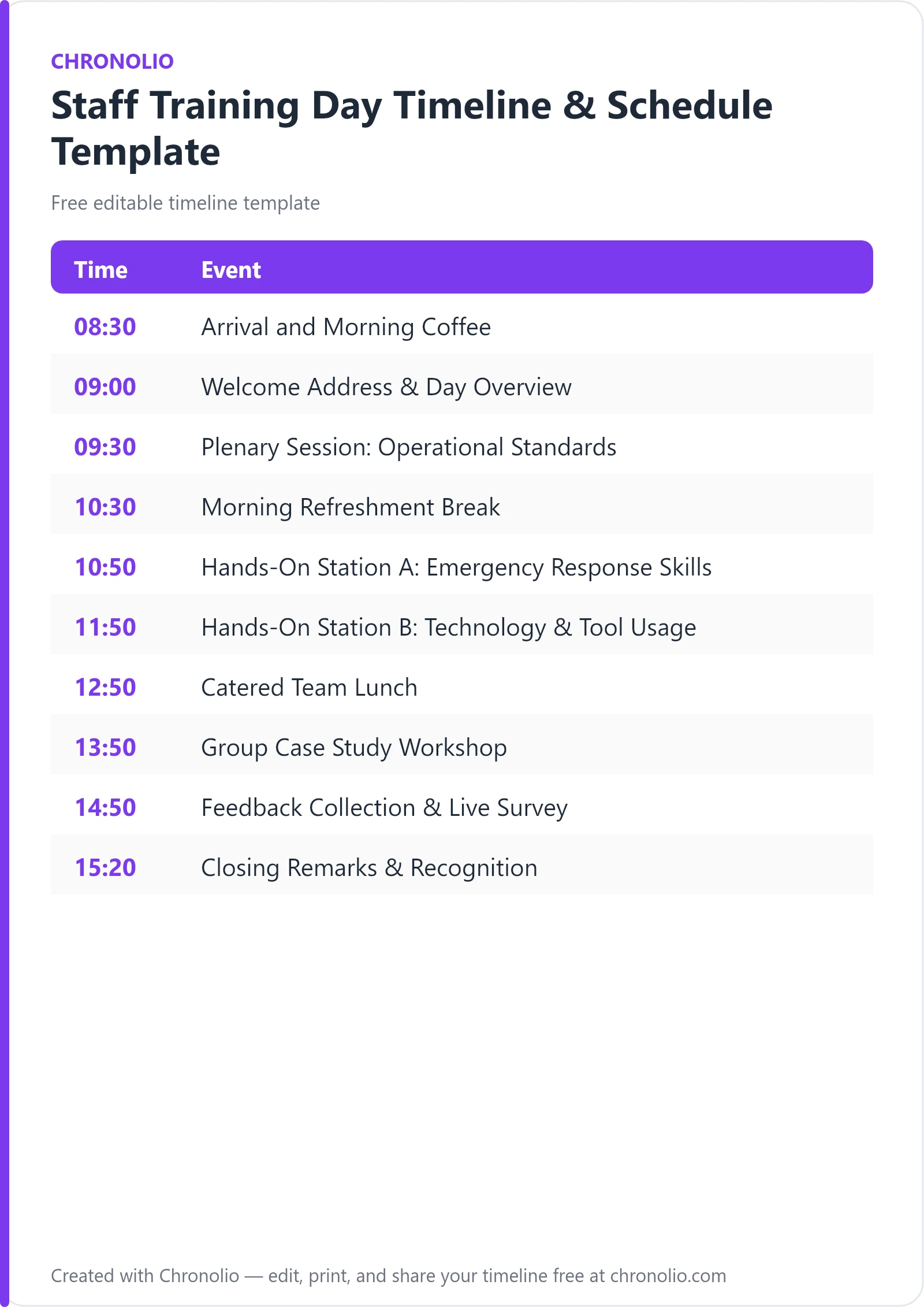
Here is the complete schedule this free template gives you — every time block, ready to edit, download, and share:
| Time | Event |
|---|---|
| 08:30 | Arrival and Morning Coffee |
| 09:00 | Welcome Address & Day Overview |
| 09:30 | Plenary Session: Operational Standards |
| 10:30 | Morning Refreshment Break |
| 10:50 | Hands-On Station A: Emergency Response Skills |
| 11:50 | Hands-On Station B: Technology & Tool Usage |
| 12:50 | Catered Team Lunch |
| 13:50 | Group Case Study Workshop |
| 14:50 | Feedback Collection & Live Survey |
| 15:20 | Closing Remarks & Recognition |
What Is a Staff Training Day Timeline?
A staff training day timeline is a chronological master schedule that structures every learning module, practical exercise, break, and administrative session across an employee development event. Having managed hundreds of professional workshops and corporate learning seminars, I can tell you that a well-designed agenda is the difference between an energized, productive workforce and a room full of disengaged employees checking their phones.
This schedule orchestrates the rhythm of your event. It establishes precise start times for registration, aligns room bookings across facilities like training rooms and innovation labs, and gives facilitators clear parameters for their presentations. By defining time blocks for hands-on stations, catered lunches, and real-time feedback collection, an effective training schedule eliminates confusion and maximizes knowledge retention.
This template reflects real-world staff training day structures and common industry best practices, balancing passive instruction with active practical application to keep participant energy consistent throughout the entire day.
Customize Your Staff Training Day Timeline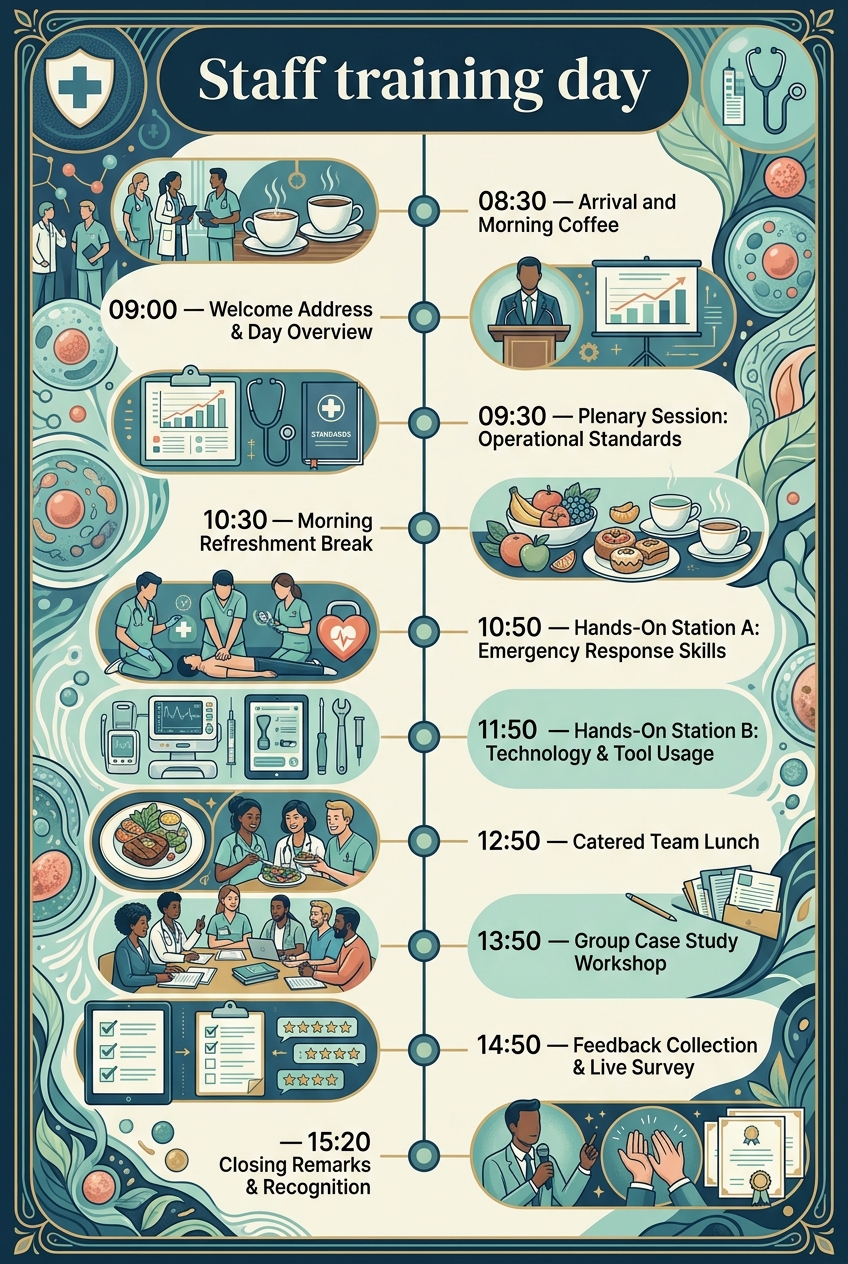
Why Staff Training Days Need a Timeline
Running a company-wide learning event without a detailed schedule invites chaos. Professional development requires significant investments in time, venue space, and departmental coverage, making time management a core operational priority.
First, a structured timeline prevents cognitive fatigue. Expecting staff to absorb complex policy updates or technical workflows during back-to-back lectures leads to immediate information overload. By inserting built-in refreshment breaks and varying teaching delivery methods every 60 minutes, attendees remain receptive and sharp.
Second, tight schedule control synchronizes cross-departmental logistically heavy events. When hundreds of employees transition between plenary lectures in the main auditorium and specialized hands-on skills stations in breakout rooms, clear timing ensures no room becomes overcrowded and every instructor remains on schedule.
Finally, a shared itinerary establishes professional accountability. Facilitators know exactly when to wrap up their key takeaways, catering staff deliver hot meals on time, and department leaders know when their teams will return to normal operational duties. Much like structuring formal governance in a board meeting timeline, maintaining exact time slots guarantees that all critical compliance and training objectives are met without running late.
What to Include in a Staff Training Day Timeline
When drafting your staff training day master schedule, incorporate these core components to ensure a seamless operational flow:
- Welcome & Registration Phase: A dedicated morning window for sign-in, picking up training packets, networking, and early coffee.
- Executive & Plenary Overview: A top-level alignment session led by leadership to outline organizational goals, high-level operational standards, and key performance expectations.
- Hands-On & Interactive Stations: Dedicated small-group learning stations where staff physically practice new skills, test digital software, or execute safety protocols under expert supervision.
- Structured Meal & Refreshment Breaks: Planned downtime to prevent burnout, foster team bonding, and allow participants to process complex concepts.
- Collaborative Case Study Workshops: Cross-departmental group exercises designed to solve real workplace problems and share strategies with the larger group.
- Real-Time Survey & Feedback Collection: An active window dedicated to capturing immediate participant insights, evaluating session effectiveness, and measuring trainer impact.
- Closing Remarks & Recognition: Formal wrap-up summary by executive management, Q&A session, and distribution of completion certificates or awards.
Morning Check-In and Plenary Sessions
| Time | Event |
|---|---|
| 08:30 | Arrival and Morning Coffee |
| 09:00 | Welcome Address & Day Overview |
| 09:30 | Plenary Session: Operational Standards |
The opening phase sets the tone for the entire professional development event. Starting at 08:30 in the Main Lobby, the check-in period allows participants to settle in, pick up name badges along with their custom training packets, and enjoy morning refreshments while catching up with peers across different divisions.
At 09:00, everyone transitions into the Main Auditorium for the official welcome address. Executive leadership outlines the core objectives of the day, links training outcomes to broader organizational goals, and reviews key performance highlights. Moving straight into the Plenary Session: Operational Standards at 09:30 leverages peak morning alertness. During this hour-long presentation, instructors walk staff through updated compliance requirements, safety standards, and modern workplace best practices before attendees split up into physical workstation groups.
Hands-On Skills and Technical Stations
| Time | Event |
|---|---|
| 10:30 | Morning Refreshment Break |
| 10:50 | Hands-On Station A: Emergency Response Skills |
| 11:50 | Hands-On Station B: Technology & Tool Usage |
After an intensive plenary presentation, a 20-minute refreshment break in the Dining Hall is essential to allow staff to step away, process regulatory updates, and grab coffee. Taking this break before hands-on rotations ensures participants enter practical drills fully re-energized.
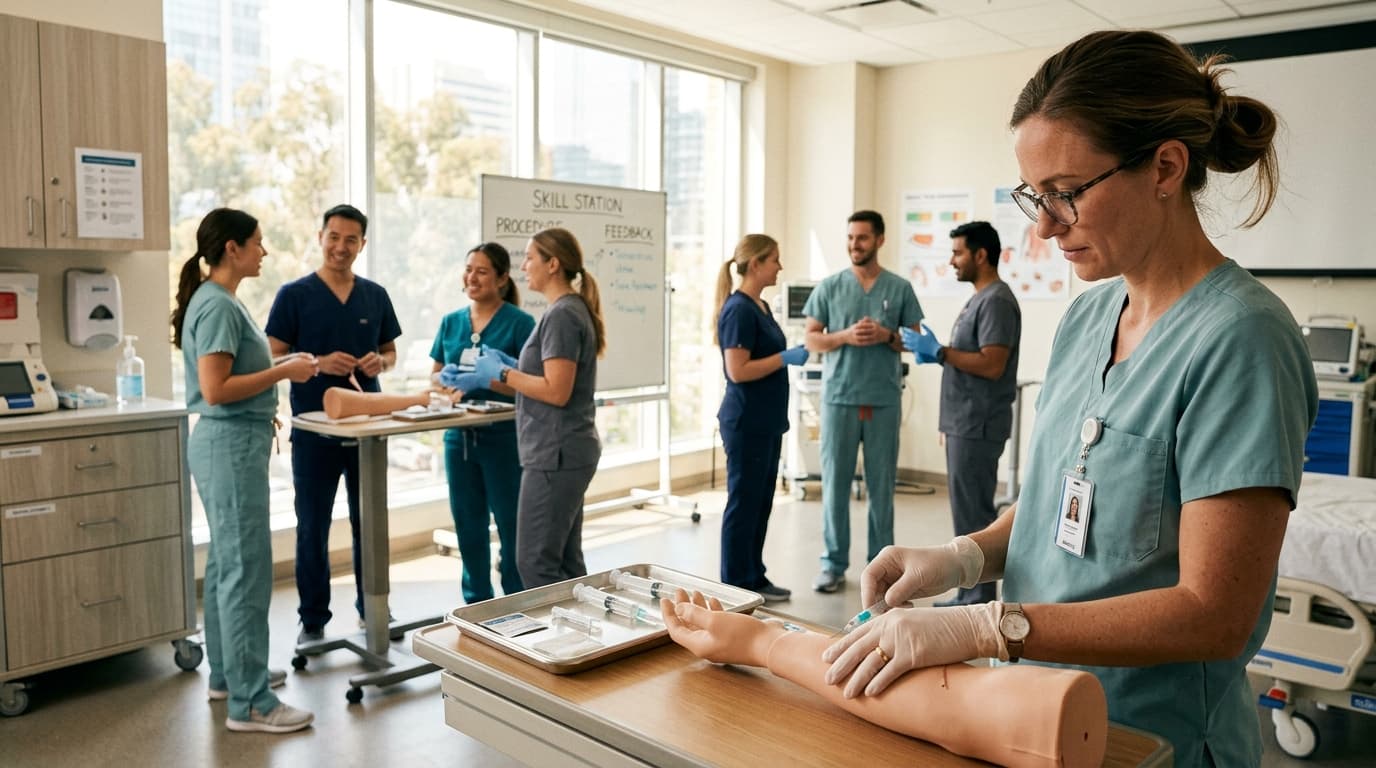
At 10:50, staff divide into assigned groups for interactive learning stations. In Training Room A, participants complete Hands-On Station A: Emergency Response Skills, physically practicing workplace first aid procedures and emergency protocols while facilitators offer real-time corrections. At 11:50, groups rotate to the Innovation Lab for Hands-On Station B: Technology & Tool Usage. Under expert supervision, staff test newly integrated software platforms, practice hardware troubleshooting, and gain direct confidence with digital workflows. Breaking learning into small-group practical exercises builds muscle memory far better than passive slide presentations.
Afternoon Collaboration, Feedback, and Closing
| Time | Event |
|---|---|
| 12:50 | Catered Team Lunch |
| 13:50 | Group Case Study Workshop |
| 14:50 | Feedback Collection & Live Survey |
| 15:20 | Closing Remarks & Recognition |
A full hour is allocated for Catered Team Lunch in the Dining Hall at 12:50. Providing a high-quality catered buffet allows employees and external facilitators to unwind, build informal connections, and recharge after a busy morning of technical learning.
Reconvening at 13:50 in Conference Room B, staff transition into the Group Case Study Workshop. Small, cross-functional teams analyze complex operational scenarios, encouraging cross-departmental problem solving and strategic consensus-building before presenting their findings back to the broader room.
At 14:50, rather than waiting until attendees leave, holding a live feedback survey in the room guarantees high response rates. Staff complete an anonymous digital evaluation measuring trainer effectiveness, material relevance, and facility comfort, with live poll results instantly displayed on screen for immediate debriefing. Finally, at 15:20, leadership leads the Closing Remarks & Recognition in the Main Auditorium, summarizing core takeaways, fielding remaining audience questions, and presenting completion certificates and special peer-recognition awards to celebrate team achievements.
Staff Training Day Timeline vs Training Agenda
While event planners often use the terms interchangeably, a staff training day timeline and a training agenda serve distinct operational functions. Understanding this distinction helps venue managers, HR directors, and corporate trainers keep their events running on schedule.
| Feature | Staff Training Day Timeline | Training Agenda |
|---|---|---|
| Primary Focus | Chronological logistics, room movements, catering delivery, and precise execution times. | High-level learning objectives, topic outlines, presenter assignments, and subject content. |
| Target Audience | Event coordinators, venue staff, facilitators, floor managers, and AV technicians. | Event attendees, department heads, corporate sponsors, and participants. |
| Level of Detail | High detail (exact times, exact physical locations, equipment setup, speaker transition cues). | General overview (session titles, topic summaries, speaker bios, overall module durations). |
| Core Utility | Keeps the physical operations running seamlessly on schedule without delay. | Communicates educational value and prepares attendees for what topics will be covered. |
While a training agenda tells your team what they are learning, the training day timeline manages how the event physically executes. While planning a social gathering like an anniversary party schedule or a casual workplace event using a birthday party timeline centers on celebration and flexible entertainment, professional learning events require exact operational structure to hit specific learning metrics.
Who Should Use This Template?
This versatile training day schedule is designed for organizations looking to structure high-impact internal training events, skill-building bootcamps, and compliance workshops across various sectors:
- Corporate HR & L&D Teams: Organizers coordinating company-wide annual compliance updates, software onboarding, or leadership bootcamps.
- Healthcare & Clinical Facilities: Hospital administrators scheduling mandatory annual emergency response drills, medical equipment certifications, and patient care protocol reviews.
- Educational Institutions & Schools: School districts organizing teacher professional development days, curriculum planning seminars, and classroom safety workshops.
- Manufacturing & Industrial Enterprises: Safety officers running plant-wide safety compliance, machinery operation certifications, and OSHA regulatory updates.
- Non-Profit Organizations: Operations directors hosting volunteer onboarding sessions, policy training, and cross-team workshops.
Note: Chronolio provides specialized scheduling tools tailored for the distinct roles involved in orchestrating complex organizational events—from lead facilitators to venue operators.
How to Use This Template
Implementing this timeline for your upcoming employee development event takes only a few simple steps:
- Download or Duplicate the Template: Select your preferred file format below to open the editable timeline in Chronolio, or download ready-to-use documents in Word Format or PDF Format.
- Adjust Start Times and Specific Modules: Modify the default 08:30 start time to align with your organization’s standard working hours, and swap out generic topic names for your organization's specific software or safety modules.
- Assign Facilitators and Venues: Map every time block to a specific presenter and designated room (e.g., Training Room A, Innovation Lab, Main Auditorium) to prevent location bottlenecks.
- Distribute to Key Stakeholders: Share tailored versions of the running order with catering providers, AV technicians, room facilitators, and department managers at least two weeks prior to the event.
Tips for a Successful Staff Training Day
Organizing an impactful corporate learning day requires attention to logistical details. According to training insights from the Society for Human Resource Management (SHRM), employee retention increases significantly when structured instruction is paired with practical application. Here are key practical tips from our venue experience:
- Test All Technology the Afternoon Before: Perform complete trial runs for interactive poll platforms, video feeds, micro-labs, and slide clickers in advance to avoid technical delays during morning sessions.
- Incorporate Physical Movement Between Modules: Design your schedule so participants change rooms or physical positions every 60 to 90 minutes to maintain blood flow and active attention.
- Keep Heavy Presentations in the Morning: Schedule complex policy updates and technical lectures early when cognitive retention is highest, reserving interactive workshops for the afternoon post-lunch energy dip.
- Build in Buffer Time for Q&A: Allocate 5 to 10 minutes of operational cushion at the end of major plenary topics so audience questions do not push back lunch or hands-on breakout sessions.
- Provide Varied Dietary Options at Lunch: Work with your catering vendor to ensure clearly labeled vegetarian, gluten-free, and vegan options to prevent dining delays.
- Assign Room Captains: Appoint a designated coordinator for each training room to keep speakers strictly on schedule and manage local AV needs.
Common Mistakes to Avoid
Even well-funded training events can fall flat if common operational mistakes ruin the schedule flow:
- Overloading the Agenda with Slide Decks: Cramming too many slide presentations into a single day creates mental burnout. Balance passive listening with hands-on practice to keep attendees engaged.
- Skipping or Shortening Breaks: Cutting a 20-minute break down to 5 minutes to catch up on time leads to irritated, unfocused employees. Guard break times fiercely.
- Collecting Feedback After People Depart: Sending an email survey the next day yields low response rates. Always dedicate 15 minutes before the final closing remarks to collect completed evaluations on-site.
- Failing to Pre-Assign Breakout Groups: Spending 15 minutes dividing 100 employees into small groups on the day wastes valuable learning time. Assign workshop groups in advance and print group letters directly on attendee name badges.
- Ignoring Technical Requirements for Hands-On Stations: Running software stations without pre-installing licenses or testing Wi-Fi bandwidth leads to stalled workshops. Audit your digital infrastructure beforehand.
- Lack of Clear Room Signage: Attendees wandering corridors trying to locate "Breakout Room B" wastes session time. Post large, clear directional signs throughout the venue.
In Summary
- Comprehensive Structure: A staff training day timeline balances morning executive briefings with afternoon practical skill stations and interactive group workshops.
- Proven Duration: The ideal event spans from 08:30 to 16:00, preventing cognitive overload while meeting full-day professional development requirements.
- High Engagement: Alternating between plenary lectures, small group skills stations, and case studies maintains high participant energy.
- Built-in Feedback: Scheduling real-time survey collection before final closing remarks ensures high completion rates and immediate actionable insights.
- Operational Control: Clear timing keeps facilitators on schedule, coordinates room transitions across facilities, and ensures catered breaks execute smoothly.
- Fully Customizable: Easily tailored to suit corporate HR teams, healthcare facilities, educational institutions, and industrial manufacturing sites.
Planning a successful corporate training event requires balancing educational goals with precise venue logistics. Whether you are hosting an annual compliance day, launching a company-wide software migration, or facilitating hands-on safety workshops for enterprise teams, establishing a clear master schedule guarantees your staff stays engaged and on schedule from arrival through closing remarks. Customize your master schedule today and download print-ready copies in Word (.docx) or PDF (.pdf) format to run a flawless event.
Customize Your Staff Training Day Timeline