
This Template at a Glance
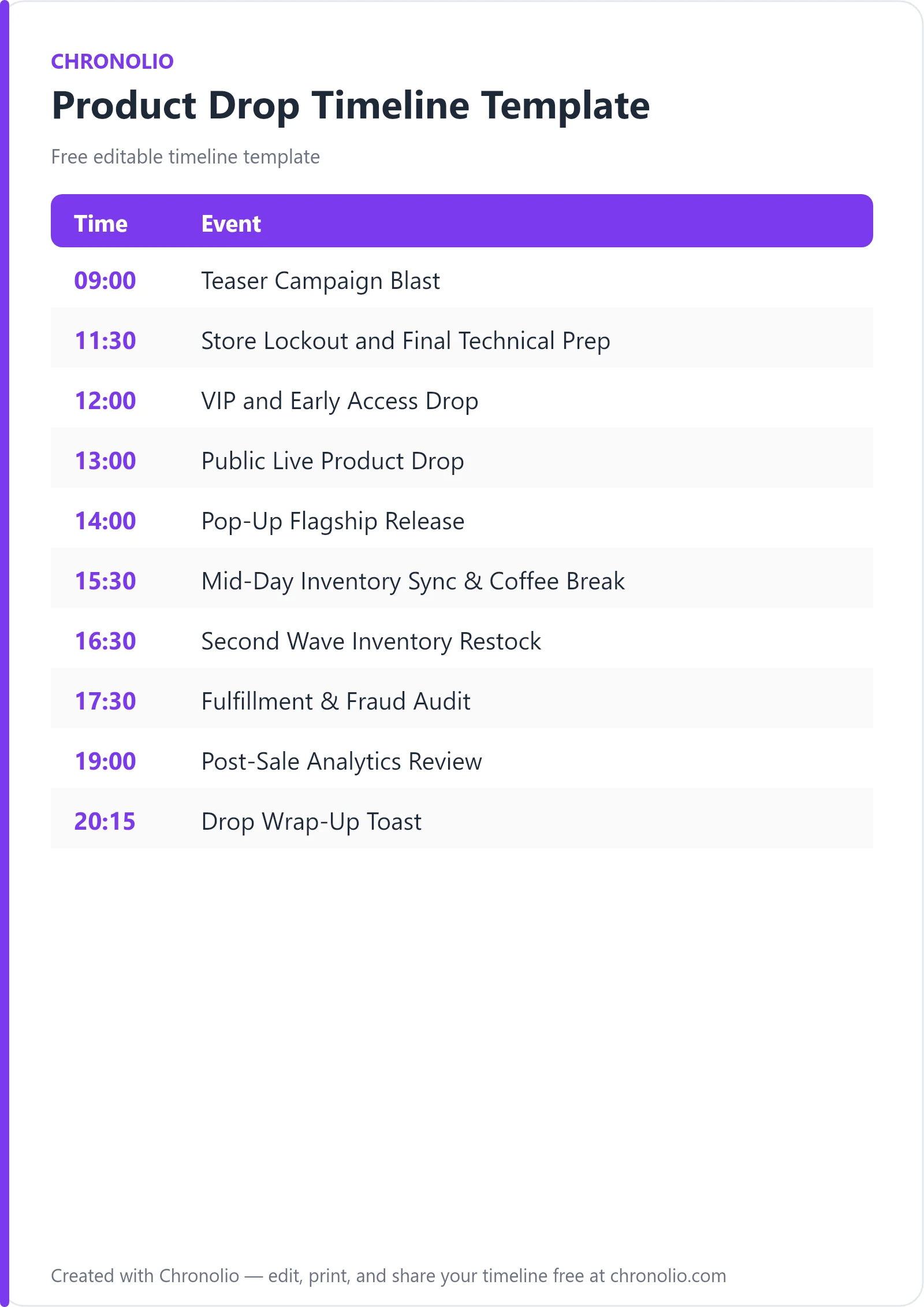
Here is the complete schedule this free template gives you — every time block, ready to edit, download, and share:
| Time | Event |
|---|---|
| 09:00 | Teaser Campaign Blast |
| 11:30 | Store Lockout and Final Technical Prep |
| 12:00 | VIP and Early Access Drop |
| 13:00 | Public Live Product Drop |
| 14:00 | Pop-Up Flagship Release |
| 15:30 | Mid-Day Inventory Sync & Coffee Break |
| 16:30 | Second Wave Inventory Restock |
| 17:30 | Fulfillment & Fraud Audit |
| 19:00 | Post-Sale Analytics Review |
| 20:15 | Drop Wrap-Up Toast |
What Is a Product Drop Timeline?
A product drop timeline is a high-precision, minute-by-minute master schedule that governs marketing campaigns, e-commerce infrastructure, retail operations, and warehouse logistics during high-demand release events. Unlike traditional retail launches that roll out stock gradually over weeks, scarcity-driven releases rely on synchronized excitement, exact timing, and immediate execution. This structured framework bridges the gap between digital marketing assets and technical backend stability.
This customizable template reflects real-world product drop structures used by high-growth D2C brands, streetwear houses, and creator marketplaces. It incorporates essential drop architecture including inventory synchronization, e-commerce web portal lockdowns, password-protected VIP access portals, real-time sell-through rate tracking, and automated fraud detection filters. You can also download offline copies using our free product drop timeline Word template or product drop timeline PDF schedule to distribute to your war room staff.
Use This Product Drop Timeline Template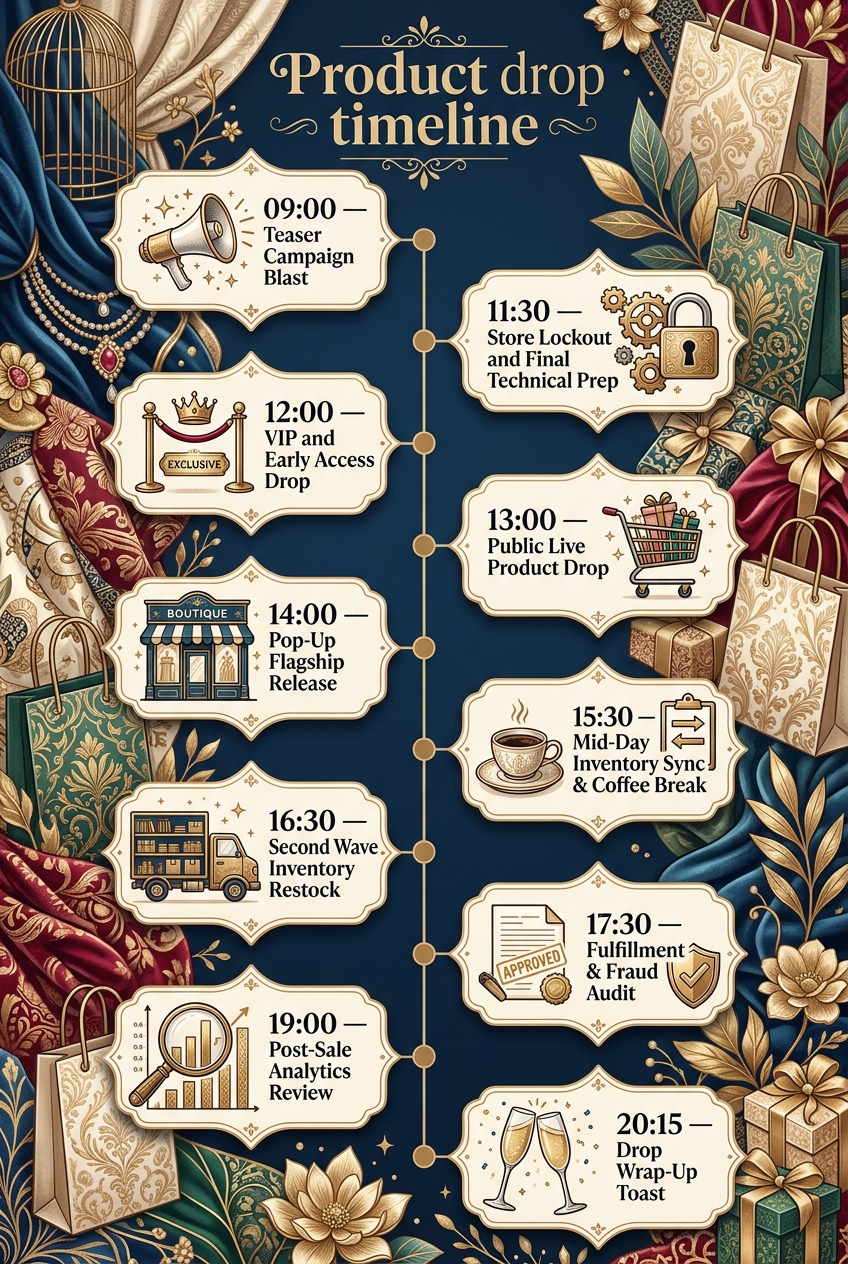
Why Product Drops Need a Timeline
Executing a high-heat drop without a rigid timeline is a recipe for crashing servers, disappointed fans, and inventory nightmare oversells. When thousands of eager buyers land on your e-commerce storefront simultaneously, every second counts. A clear running order eliminates confusion across departments, keeping marketing, web development, customer support, and warehouse operations aligned on exact execution times.
Beyond keeping internal teams organized, a disciplined schedule directly protects your bottom line and customer trust. Bot mitigation tools, payment gateway checks, and queue management systems must be brought online at designated intervals. Synchronizing digital drops with physical activations—like a brick-and-mortar pop-up shop—ensures brand consistency, smooth foot-traffic control, and balanced stock allocation between online buyers and in-store shoppers.
Finally, managing high-stress releases requires the same strict temporal discipline found in other operational disciplines. Just as a structured board meeting timeline keeps corporate directors focused on critical governance, a drop timeline keeps e-commerce leadership focused on server stability, checkout speed, and fulfillment speed during peak traffic bursts.
What to Include in a Product Drop Timeline
To maximize sales volume and customer satisfaction, your drop schedule must balance promotional hype with technical safeguards:
- Marketing Hype Blasts: Multi-channel social media posts, push notifications, and email announcements announcing the exact launch time.
- Storefront Lockout Window: A technical maintenance period where the public site displays a password portal and live countdown timer.
- VIP & Early Access Window: Exclusive purchasing access for top-tier loyalty members, early subscribers, or password holders.
- Public General Release: Unlocking the main website for universal access, paired with real-time server load and bot monitoring.
- Retail & Pop-Up Synchronization: Opening doors for physical flagship activations with exclusive in-person inventory.
- Mid-Day Restock Wave: Staggered inventory drops designed to capture afternoon traffic spikes and secondary buyer pools.
- Fulfillment & Fraud Audits: Immediate post-sale screening for bot orders, duplicate addresses, and warehouse dispatch staging.
- Post-Sale Analytics & Debrief: Executive review of traffic metrics, revenue totals, sell-out speeds, and operational handoffs.
Phase 1: Morning Teaser & Technical Prep
| Time | Event |
|---|---|
| 09:00 | Teaser Campaign Blast |
| 11:30 | Store Lockout and Final Technical Prep |
The morning phase establishes initial customer anticipation while giving technical teams the space required to prep digital infrastructure. At 09:00, marketing launches the teaser campaign blast across global social media channels. Publishing short-form video teasers, countdown stickers, and targeted push notifications drives immediate web traffic toward your lander and primes your audience for the drop.
At 11:30, the technical team takes control of the e-commerce web portal to enforce a temporary store lockout. The homepage switches to a stylized countdown timer, blocking regular browsing. During this crucial 30-minute window, systems engineers execute final server stress testing, clear database caches, and perform final inventory synchronization across digital channels to ensure stock levels reflect exact physical availability before traffic floods the server.
+-------------------------------------------------------------------+ | DROP DAY MORNING EXECUTION | +-------------------------------------------------------------------+ | 09:00 AM | Teaser Blasts & Social Hype Campaign | | 11:30 AM | Store Lockout, Server Stress Test & Stock Sync | +-------------------------------------------------------------------+
Phase 2: Exclusive VIP & General Public Drop
| Time | Event |
|---|---|
| 12:00 | VIP and Early Access Drop |
| 13:00 | Public Live Product Drop |
| 14:00 | Pop-Up Flagship Release |
At 12:00, access opens exclusively for your most loyal supporters via the VIP access portal. Password links are pushed out via SMS and private email tiers, rewarding high-value brand advocates with first access to limited stock. This phased entry serves a dual purpose: it builds community loyalty and acts as a real-world test for payment gateways and inventory logging under moderate traffic load.
One hour later, at 13:00, the main website unlocks completely for the public live product drop. As marketing triggers broadcast alerts, site traffic hits its absolute peak. Operations leads monitor real-time queue lengths and site speeds while customer support handles live chat inquiries. By 14:00, physical retail doors open for the SoHo pop-up store release, translating online momentum into physical community engagement with exclusive in-store colorways, ambient music, and line control.
+-------------------------------------------------------------------+ | LAUNCH & RELEASE TIMING FLOW | +-------------------------------------------------------------------+ | 12:00 PM | VIP Password Portal Access (Loyalty Tier) | | 01:00 PM | Main Storefront Unlocks (General Public Drop) | | 02:00 PM | Flagship Pop-Up Retail Store Opens Doors | +-------------------------------------------------------------------+
Executing a seamless product release demands a acute awareness of human behavior and flow. In many ways, managing customer surges during a product drop feels similar to orchestrating high-stakes social celebrations—whether managing guest arrivals for a birthday party timeline or structuring formal group transitions in a baby shower timeline. Clear guidance prevents bottlenecking every step of the way.
Phase 3: Operations Sync, Restock & Fulfillment
| Time | Event |
|---|---|
| 15:30 | Mid-Day Inventory Sync & Coffee Break |
| 16:30 | Second Wave Inventory Restock |
| 17:30 | Fulfillment & Fraud Audit |
By mid-afternoon, initial public stock will likely be depleted or holding in active checkout carts. At 15:30, department leads convene in the HQ operations war room for a mid-day inventory sync and brief coffee break. The team reviews sell-through speeds across sizes and SKUs, reallocating reserved inventory buffer stocks for the evening push.
At 16:30, the second wave inventory restock goes live on the e-commerce web portal. This secondary drop captures commuter traffic and gives buyers who missed the 13:00 drop a second chance to purchase. At 17:30, operational focus shifts directly to the primary fulfillment center. Warehouse teams initiate automated fraud detection audits to flag scalper bots and multi-order address violations before staging priority orders for same-day carrier pickup.
Phase 4: Analytics Review & Team Debrief
| Time | Event |
|---|---|
| 19:00 | Post-Sale Analytics Review |
| 20:15 | Drop Wrap-Up Toast |
The final phase of the drop shifts focus from live execution to performance evaluation and operational wind-down. At 19:00, executive leadership, growth marketers, and logistics heads assemble in the executive conference room for the post-sale analytics review. Key performance indicators (KPIs)—including conversion rate, peak concurrent visitors, total revenue generated, average order value (AOV), and stock sell-out times—are analyzed against pre-drop forecasts.
At 20:15, the team transitions to the HQ lounge for a well-deserved drop wrap-up toast. Remaining customer service inquiries, backorder notifications, and overnight logistics monitoring duties are formally handed off to night-shift support staff, bringing the main drop day to a successful close.
+-------------------------------------------------------------------+ | EVENING DEBRIEF & CLOSEOUT | +-------------------------------------------------------------------+ | 07:00 PM | Executive Analytics Review (Revenue, Traffic, KPIs) | | 08:15 PM | Team Wrap-Up Toast & Overnight Staff Handoff | +-------------------------------------------------------------------+
Structuring long-term operational success around intense milestones is a staple of high-performing organizations. Just as teams celebrate milestone events using an anniversary party schedule, stepping back to celebrate team efforts after a high-heat launch builds long-term organizational morale and resilience.
Product Drop Timeline vs Launch Campaign Schedule
It is common to confuse a day-of product drop timeline with an overarching product launch campaign schedule. While both are critical to revenue success, they operate at vastly different operational levels.
| Feature / Dimension | Product Drop Timeline | Launch Campaign Schedule |
|---|---|---|
| Operational Scope | Hour-by-hour and minute-by-minute execution on drop day. | Multi-week or multi-month marketing strategy. |
| Primary Focus | Web stability, queue control, stock releases, and fulfillment. | Audience acquisition, content creation, press, and teasers. |
| Target Audience | Internal war room, backend developers, and warehouse staff. | External media, influencers, partners, and public audience. |
| Flexibility | Highly rigid; timing must be accurate to the minute. | Moderately flexible; assets and dates shift based on prep. |
| Key Metric | Concurrent site traffic, sell-through speed, checkout rate. | Email signups, total impressions, brand awareness, PR hits. |
While a broader campaign schedule prepares the market over six to eight weeks, according to e-commerce frameworks detailed by Shopify's Enterprise Strategy Guide, the product drop timeline governs the critical 12-to-24-hour window where interest is converted directly into captured revenue.
Who Should Use This Template?
This timeline template is tailored specifically for direct-to-consumer businesses, high-heat brands, and fast-moving retail teams that rely on scarcity marketing and drop models:
- Streetwear & Apparel Brands: Managing limited capsule collections, sneaker drops, and exclusive colorway releases.
- Direct-to-Consumer (D2C) E-Commerce Stores: Coordinating online queue systems, site unlock countdowns, and email blasts.
- Creator & Influencer Merch Launches: Handling sudden massive spikes in concurrent site traffic during live creator announcements.
- Consumer Electronics & Gaming Hardware: Releasing limited preorder allocations and high-demand hardware runs.
- Luxury & Designer Collaborations: Executing synchronized online releases alongside exclusive physical pop-up shop experiences.
Whether you are a founder running a lean crew or a logistics manager directing cross-functional departments, Chronolio provides workflow support built for specialized business roles managing mission-critical schedules.
How to Use This Template
- Duplicate or Download: Save a digital copy directly into Chronolio or download the offline product drop timeline Word template or product drop timeline PDF schedule.
- Align Key Timezones: Adjust the master times based on where the majority of your target demographic resides (e.g., setting the main drop for 1:00 PM EST / 10:00 AM PST).
- Assign Department Leads: Map specific team members (Web Dev Lead, Social Lead, Warehouse Manager) to every timeline event row.
- Distribute to War Room: Share the schedule with internal staff, customer support leads, fulfillment partners, and retail pop-up supervisors at least 48 hours prior to launch day.
Tips for a Successful Product Drop
- Conduct Heavy Load Testing: Simulate peak concurrency levels well before launch day using cloud testing software to ensure web hosting servers do not crash under pressure.
- Implement Bot Protection: Set up CAPTCHA rules and anti-bot checkout tools prior to unlocking the main storefront to protect inventory for genuine customers.
- Reserve Inventory Buffers: Keep 5% to 10% of total stock out of the initial drop pool to handle damaged shipments, lost transit packages, or customer exchanges.
- Establish a Dedicated War Room: Keep key decision-makers together on a single video bridge or physical conference room throughout launch day to resolve bottlenecks instantly.
- Over-Communicate Support Policies: Clearly display shipping timelines, return rules, and final-sale restrictions across your password lock screen and checkout pages.
- Stagger Multi-Channel Notifications: Avoid firing app push notifications, SMS texts, and email newsletter blasts simultaneously to prevent self-inflicted server denial-of-service (DoS) conditions.
Common Mistakes to Avoid
- Skipping Site Lockouts: Unlocking new inventory while thousands of users actively browse can corrupt database carts and cause severe inventory oversells.
- Neglecting Customer Support Staff: Failing to prep customer success teams with pre-approved FAQs creates massive ticket backlogs when buyers face payment errors.
- Ignoring Fraud Checks: Shipping high-heat products without automated address verification screening leaves your business vulnerable to credit card chargeback schemes.
- Uncoordinated Retail & Web Stock: Selling physical pop-up stock out of the same un-segmented inventory pool as digital buyers creates inaccurate online stock counts.
- Launching Without Password Protection: Exposing staging links or early backend collections without password protection allows savvy scraping bots to buy stock hours before launch.
- Forgetting Post-Drop Handoffs: Leaving active support queues unattended after business hours frustrates customers waiting for order confirmation updates.
In Summary
- A product drop timeline coordinates marketing, web development, retail, and logistics during high-demand product releases.
- It covers critical operational phases: hype teasers, site lockouts, VIP access windows, public drops, restocks, and warehouse audits.
- It is engineered specifically for D2C brands, streetwear labels, digital creators, and luxury fashion collaboration teams.
- Using a strict timeline prevents server crashes, reduces inventory oversells, and mitigates bot purchasing fraud.
- Digital and offline templates (Word/PDF) keep all team members aligned across physical war rooms and remote operations.
- Post-sale analytics reviews ensure each subsequent drop improves on conversion speed, site performance, and customer satisfaction.
Planning a successful limited release requires balancing intense promotional hype with rock-solid execution discipline. Whether you are leading an e-commerce brand, managing flagship pop-up retail staff, or directing warehouse logistics, using a structured product drop timeline ensures your launch runs smoothly from the morning teaser blast to the final evening analytics review.
Use This Product Drop Timeline Template